Run a live general meeting
Start the meeting, check owners in at the door and online, follow who is in the room, move through the agenda, close a vote early and end the meeting.
Who: the chair is the Complex Admin, or anyone whose role holds Manage polls & meetings. Whoever works the door needs Manage polls & meetings or Visitor log, which the concierge has. Path: Community › Polls & meetings › Meetings.
A general meeting can be held in the room and online at the same time. While it runs, the portal checks owners in, counts who is present and shows the votes on the agenda as the chair reaches them. Owners follow it from their Voting page: see Attend a meeting online or in person.
Schedule the meeting first, with the votes it decides linked to its agenda items: see Polls, votes and meetings. Give it an Online link if owners may attend online.
Steps
-
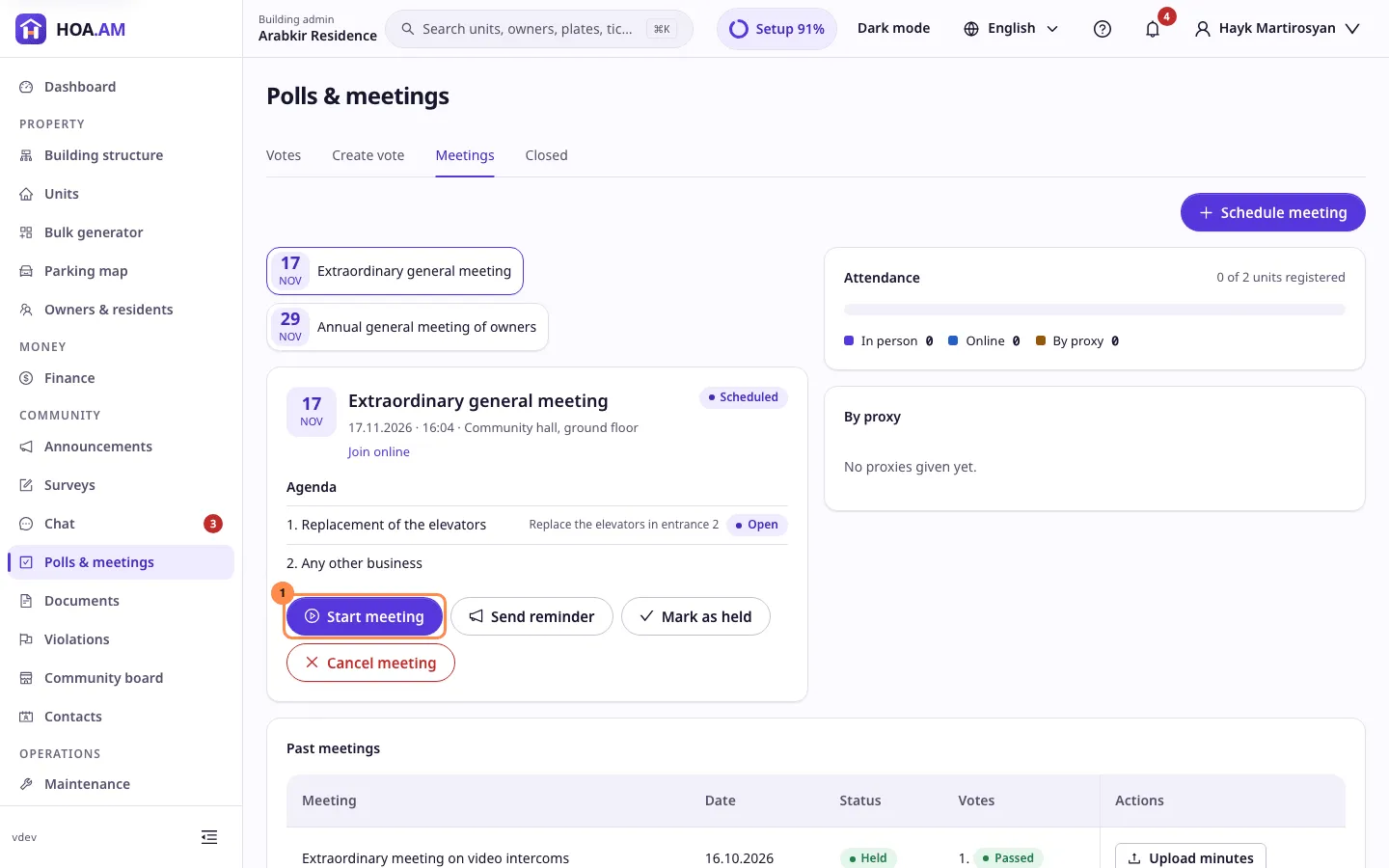
The meeting’s card on the Meetings tab has Start meeting, which you can select from 30 minutes before the start. Select it and confirm. Registrations and proxies close, the owners are notified that the meeting has started, and the live screen opens.
-
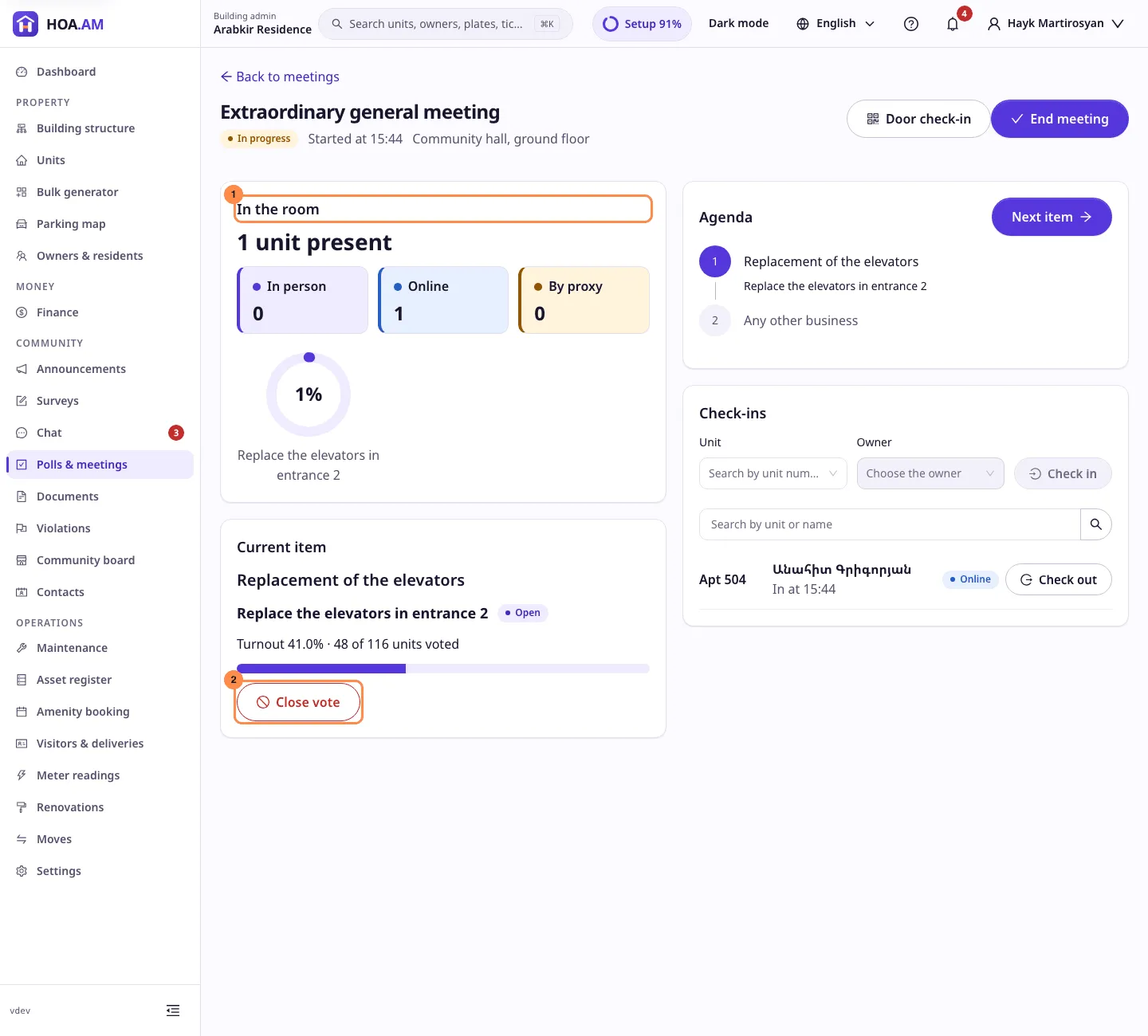
The live screen shows In the room (the units present, by mode, and the weight present for each vote on the agenda), the Current item, the Agenda and the Check-ins. It updates by itself as people arrive; you do not need to reload it.
-
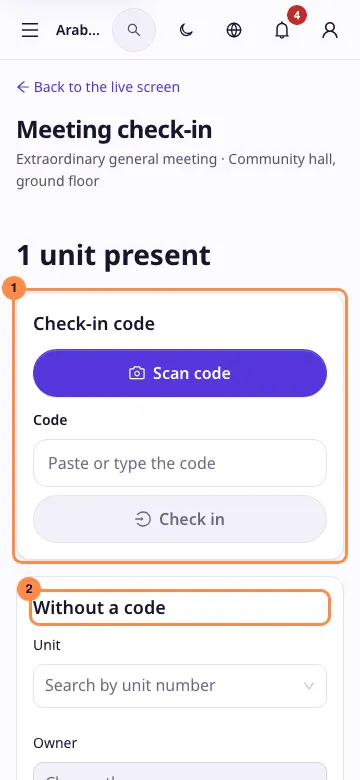
Check owners in at the door. Select Door check-in on the live screen, or, at the front desk, Check in attendees on the Visitors & deliveries page. Each owner shows a code on their phone:
- Select Scan code and hold the phone to the camera, or paste the code into Code and select Check in. Scan code shows only in browsers that can read QR codes; elsewhere, use the Code field.
- For an owner without a phone, use Without a code: pick the Unit by number, then the Owner, and select Check in.
The result reads Checked in with the units covered, or Already checked in. An owner who holds a proxy is checked in for the units they represent too. If the owner then comes in person, their own check-in takes over from their proxy holder.
-
Owners attending online check themselves in from their Voting page; they appear in Check-ins marked Online. To record someone leaving, select Check out on their row.
-
Select Begin with the first item. The owners’ Voting page shows the item, and an item with a vote shows its turnout: Turnout 75.0% · 3 of 4 units voted. Owners vote from their phones. Select Next item to move on, or select any item in the Agenda to jump to it.
-
When the room has voted on an item, select Close vote and confirm. The vote closes before its deadline and its results become final; this cannot be undone. Only a vote on the agenda of the meeting in progress can be closed this way, and a candidate cannot close their own election.
-
After the last item, select End meeting and confirm. The meeting is recorded as held, check-ins close and the Upload minutes drawer opens.
Result
The meeting is held and listed under Past meetings. A vote closed during it shows its outcome, and its Export protocol (PDF) says it was Closed during the meeting of that date, with the units registered for the meeting and the units checked in. Starting the meeting, each check-in and check-out, each move through the agenda and each early close are written to the audit log.