Owners and residents
The complex's people: add an owner with their units and invite them by email, SMS or a link with a QR code, resend, suspend, import and export.
Owners and residents lists everyone who owns or lives in a unit of the complex, and everyone invited to.
Who can use it
Sidebar › Owners & residents, for a complex’s administrators (Manage owners, residents & staff). Email addresses and phone numbers show only with See owner contacts; without it the contact column reads Contacts not shown.
The list
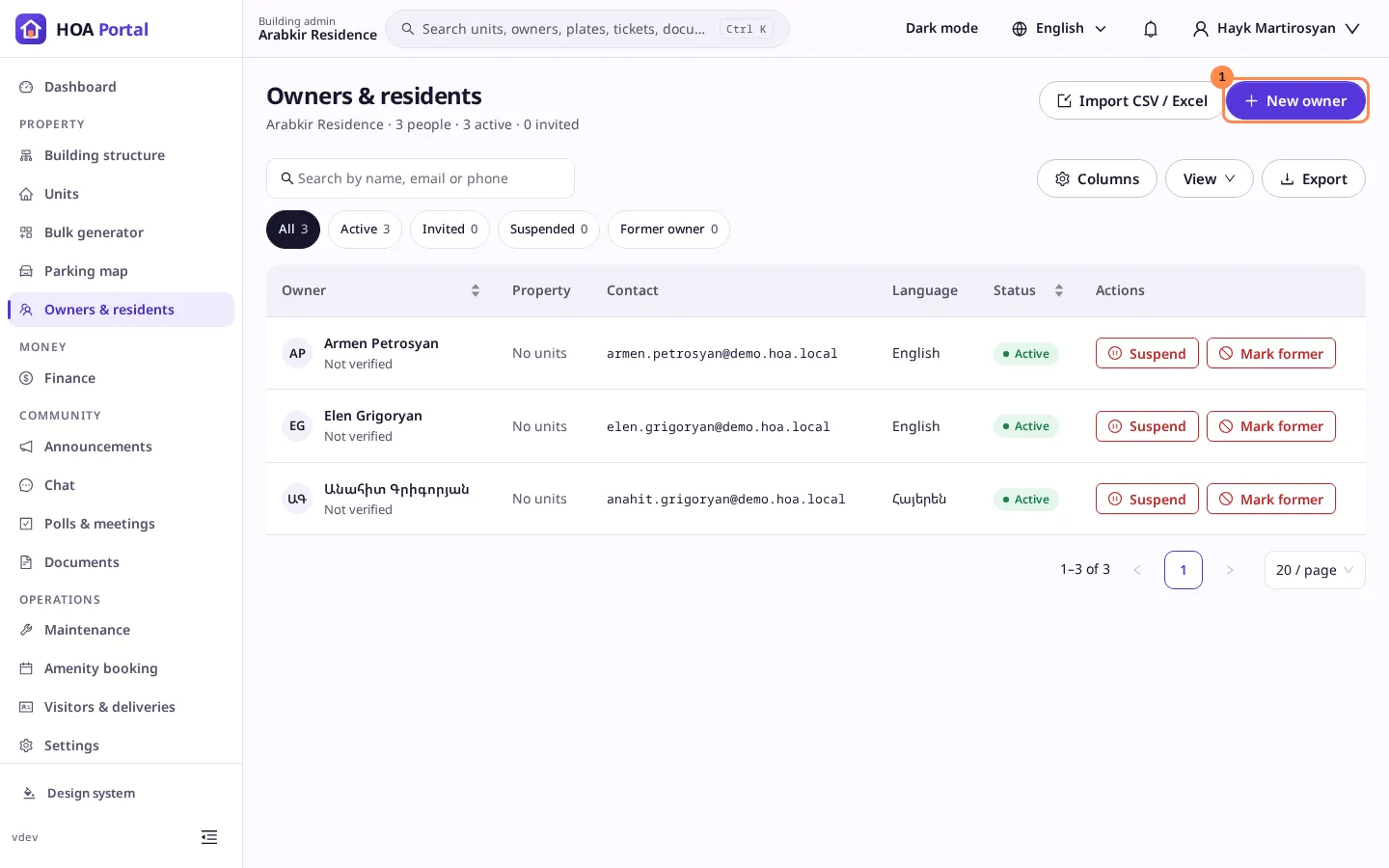
The title line counts the people, how many are active and how many are invited. Chips filter by status: All, Active, Invited, Suspended and Former owner, each with its count.
Columns: Owner (with Verified or Not verified), Property (the numbers of the units they hold), Contact, Language and Status.
- Search by name, email or phone.
- A phone the owner chose to hide from other residents still shows to you, marked Hidden by owner.
- Below 900 px wide the list becomes cards.
Add an owner
Select New owner:
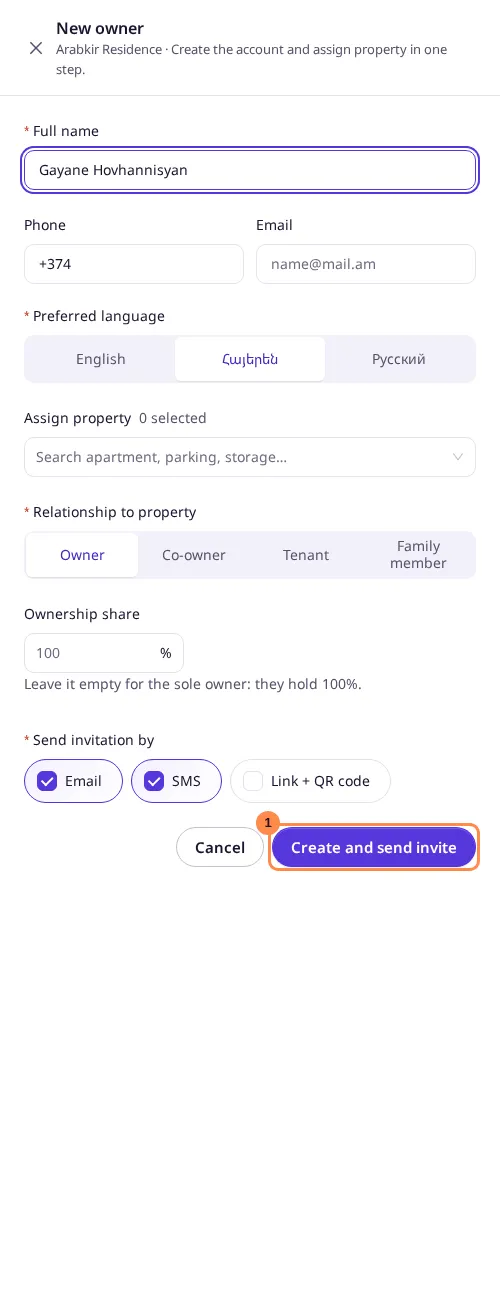
- Enter the Full name, and a Phone or an Email, or both. A number without a country code is Armenian.
- Choose the Preferred language of the invitation.
- Under Assign property, search units by number and pick up to 50: apartments, parking slots and storage rooms alike.
- Choose the Relationship to property: Owner, Co-owner, Tenant or Family. Owners and co-owners have an Ownership share from 0.01 to 100%; leave it empty for the sole owner, who holds 100%. The shares of a unit never pass 100%.
- Choose how to Send invitation by: Email, SMS or Link + QR code. Each needs its contact.
- Select Create and send invite.
The person shows as Invited until they accept. With Link + QR code, the drawer then shows the link to copy and its QR code to hand over in person. Anyone with the link can accept, so give it only to the owner. Someone the complex already has, by email or phone, is given the units and not added twice.
From a unit’s card, Assign owner opens the same drawer with that unit chosen.
Resend, suspend and mark former
Each row has the actions its status allows:
- Resend (invited): sends a new invitation by the channels you choose; the previous link stops working.
- Suspend (active): the person loses access to the complex until you Reactivate them. Their units stay assigned.
- Mark former (active or suspended): their access ends. Someone who still holds a unit cannot be marked former.
You cannot change your own status.
Verify ownership
Owners upload the documents that prove their ownership on their own profile. On a row of someone with an account, Ownership opens their documents: download each one and check it, then select Verify ownership. It stays unavailable until a document is on file. The list then shows Verified, in every complex of that owner. Withdraw verification takes it back. Nobody can verify their own ownership.
Import
Import CSV / Excel opens the import for owners: upload a file, map its columns, check the rows and import the valid ones.
Export
Export this list saves the people as you see them, with the search, the status and the sort, to Excel (.xlsx) or PDF (.pdf), in your language. The email and phone columns are there only if you may read contacts. See saved views and exports.