Verify the audit log
Read who changed what, filter the log, and check with one click that no entry was altered or removed.
Who: the Global Admin. Path: Platform context › Sidebar › Audit log › Verify integrity.
Steps
-
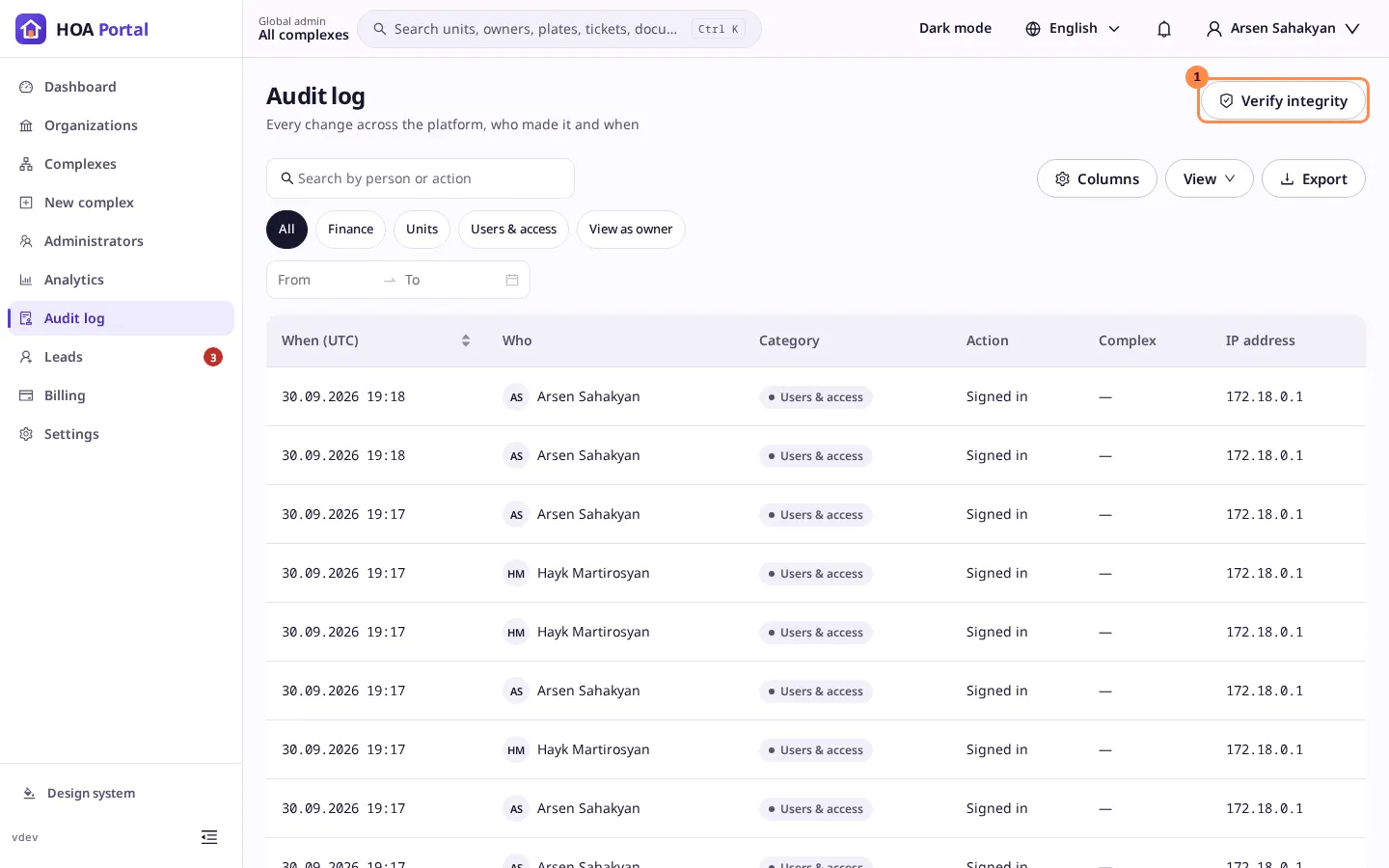
In the platform context, open Audit log. The newest entries come first: when, who, the category, the action, the complex and the IP address.
-
Narrow it down if you need to: search by person or action, pick a Category, set a Date range, or select a complex’s id in a row to see only that complex.
-
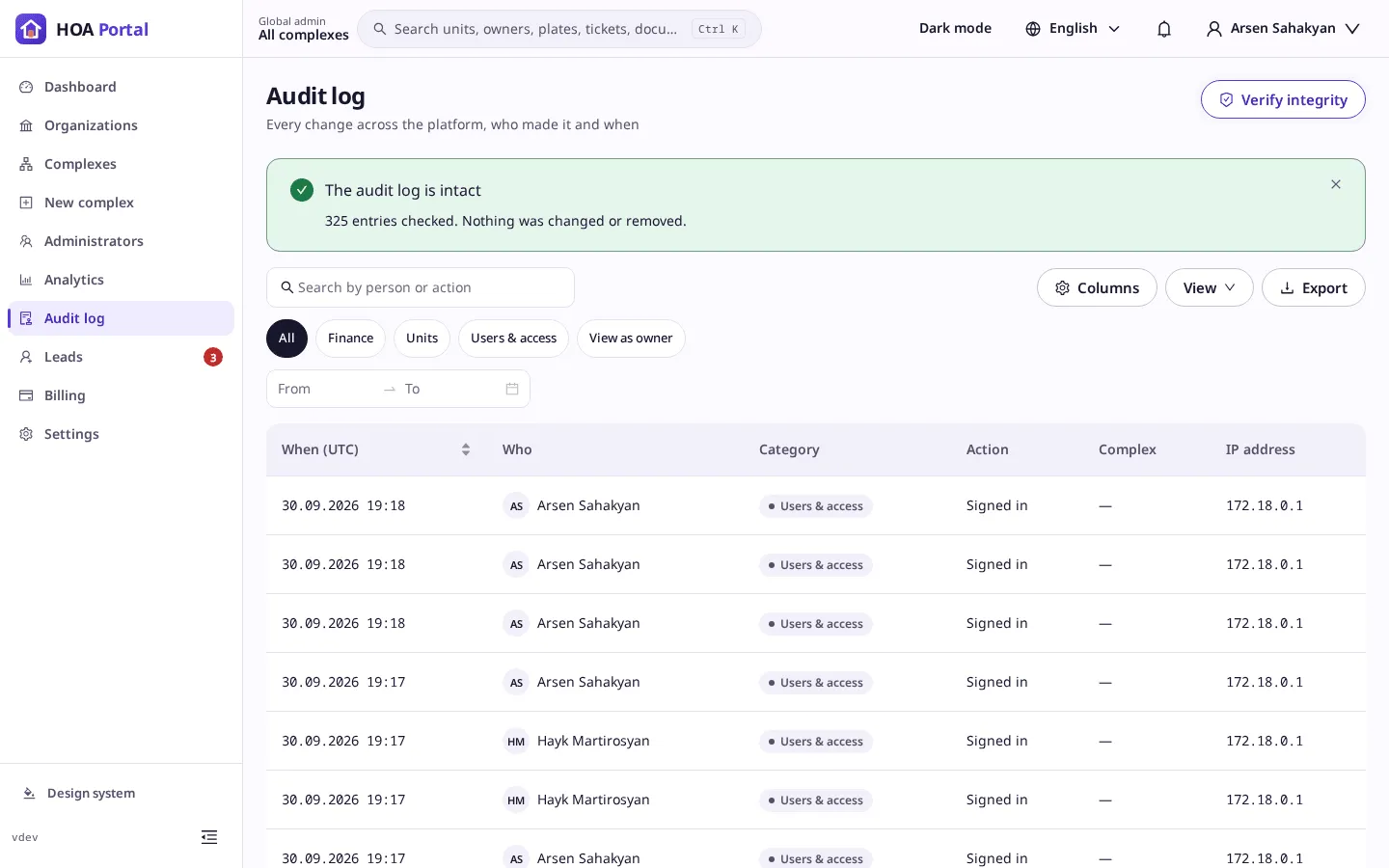
Select Verify integrity (1). The portal recomputes every chain of entries.
Result
- The audit log is intact: every entry was checked, and nothing was changed or removed.
- The audit log was tampered with: the message names the first entry that no longer matches its chain. Treat it as a security incident and involve your platform operator.
To keep a copy, Export the filtered log to Excel, CSV or PDF; see Save a view and export a list.