Create an organization
Add a management company or association to the platform, then open it to add admins or change its status.
Who: the Global Admin. Path: Platform context › Sidebar › Organizations › New organization.
Steps
-
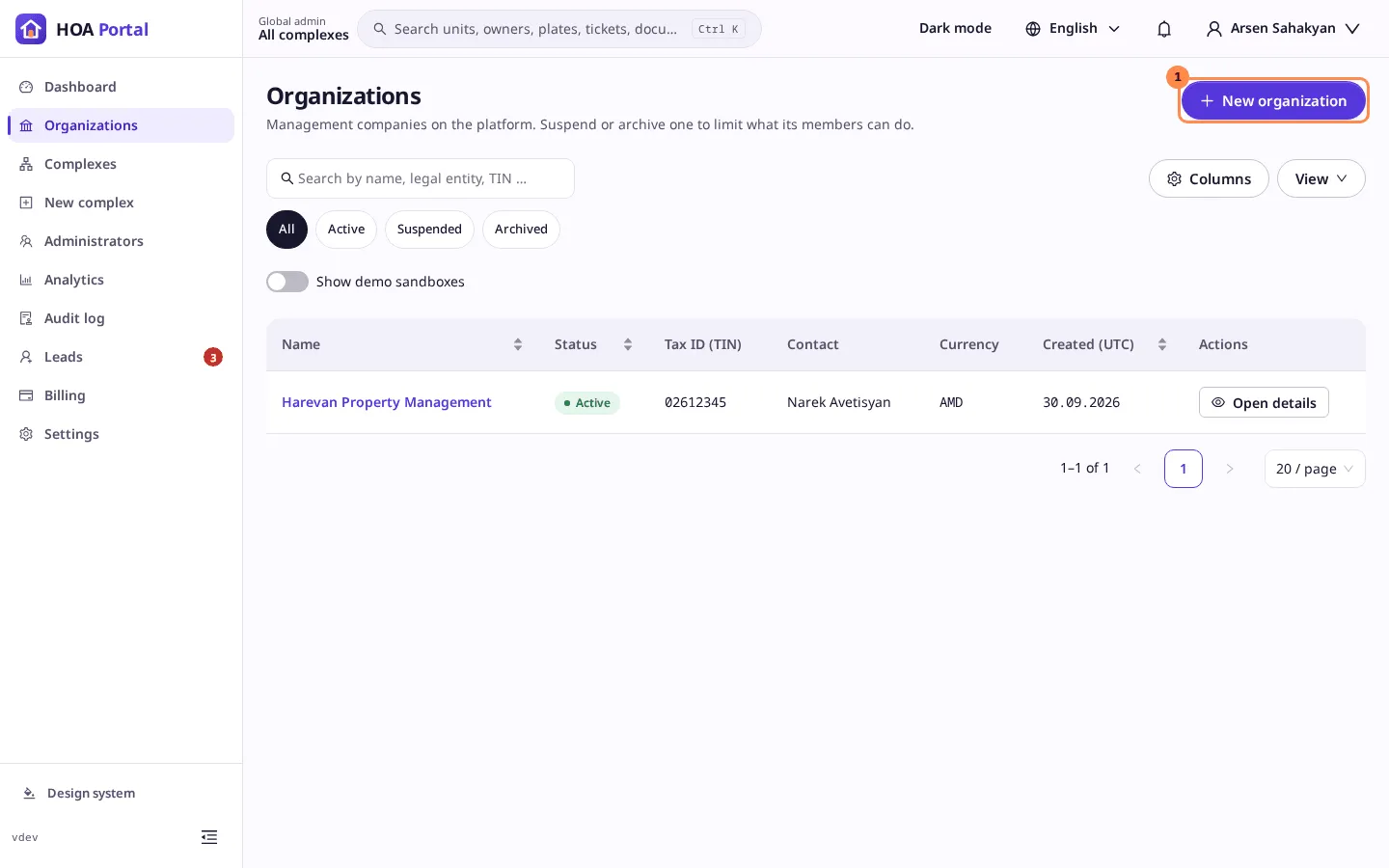
In the platform context, select Organizations in the sidebar, then New organization (1).
-
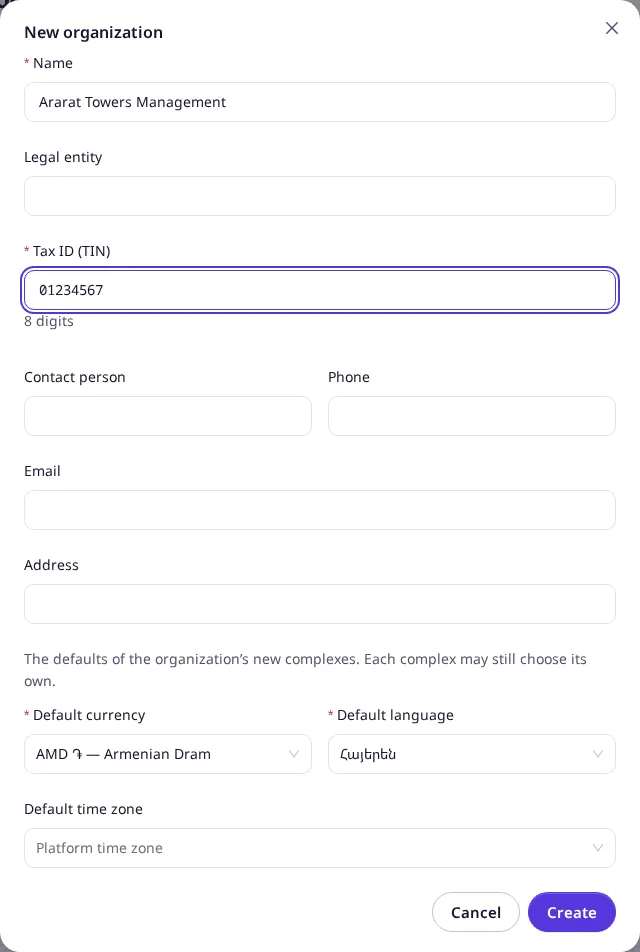
Fill in the form:
- Name, 2–120 characters, unique on the platform;
- Tax ID (TIN), 8 digits;
- optionally the Legal entity, contact person, phone, email and address;
- the defaults its new complexes start with: Default currency, Default language and, if not the platform’s, Default time zone.
-
Select Create.
Result
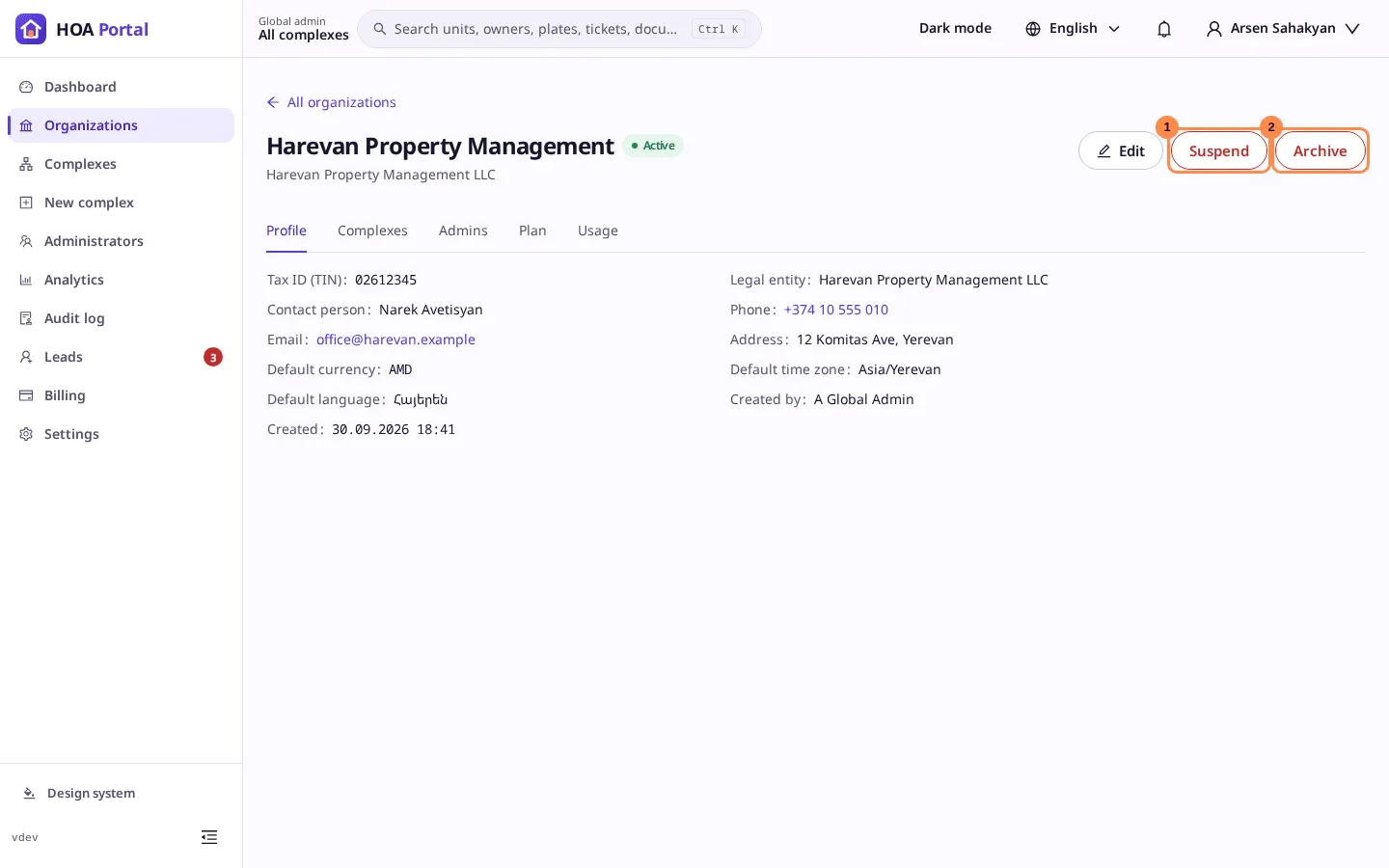
The toast says Ararat Towers Management was created., and the organization’s page opens with the status Active. From here:
- Edit changes its details;
- Suspend (1) blocks every change its members try, while they can still sign in and read;
- Archive (2) takes it and its complexes out of use;
- the Admins tab appoints its organization admins.
The creation is recorded in the audit log. Next, create its first complex.