Build the structure
Add a building’s blocks, entrances and floors, or a district’s streets, and see the units on the map.
Who: anyone with Edit units in the complex. Path: Complex context › Sidebar › Building structure › Setup (in a district: District map › Setup).
Steps
-
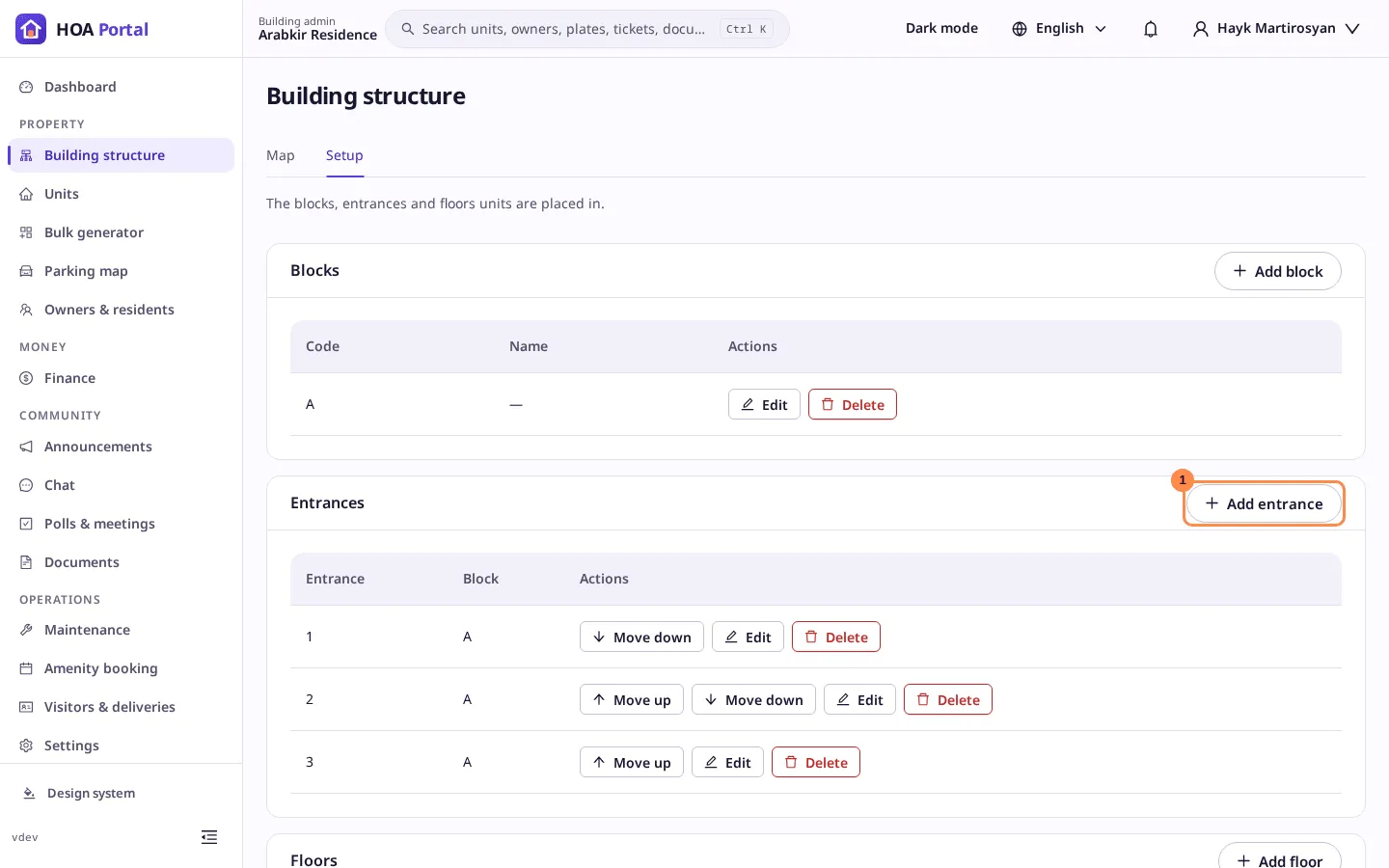
Open Building structure and the Setup tab. A building has the Blocks, Entrances and Floors sections; a district has Streets and Blocks.
-
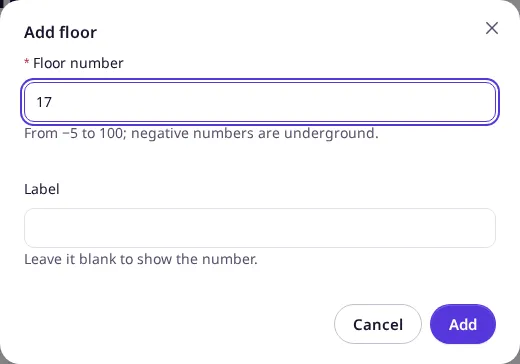
Add the elements, one dialog each:
- Add block: a Code such as A, and optionally a name;
- Add entrance: a Code such as 1, and the block it belongs to;
- Add floor: the Floor number, from −5 (underground) to 100, and optionally a label;
- Add street (district): the Street name.
-
Put blocks, entrances and streets in order with Move up and Move down. Floors sort themselves by number.
An empty complex can instead copy another complex’s structure with Clone from…; see Clone the structure.
-
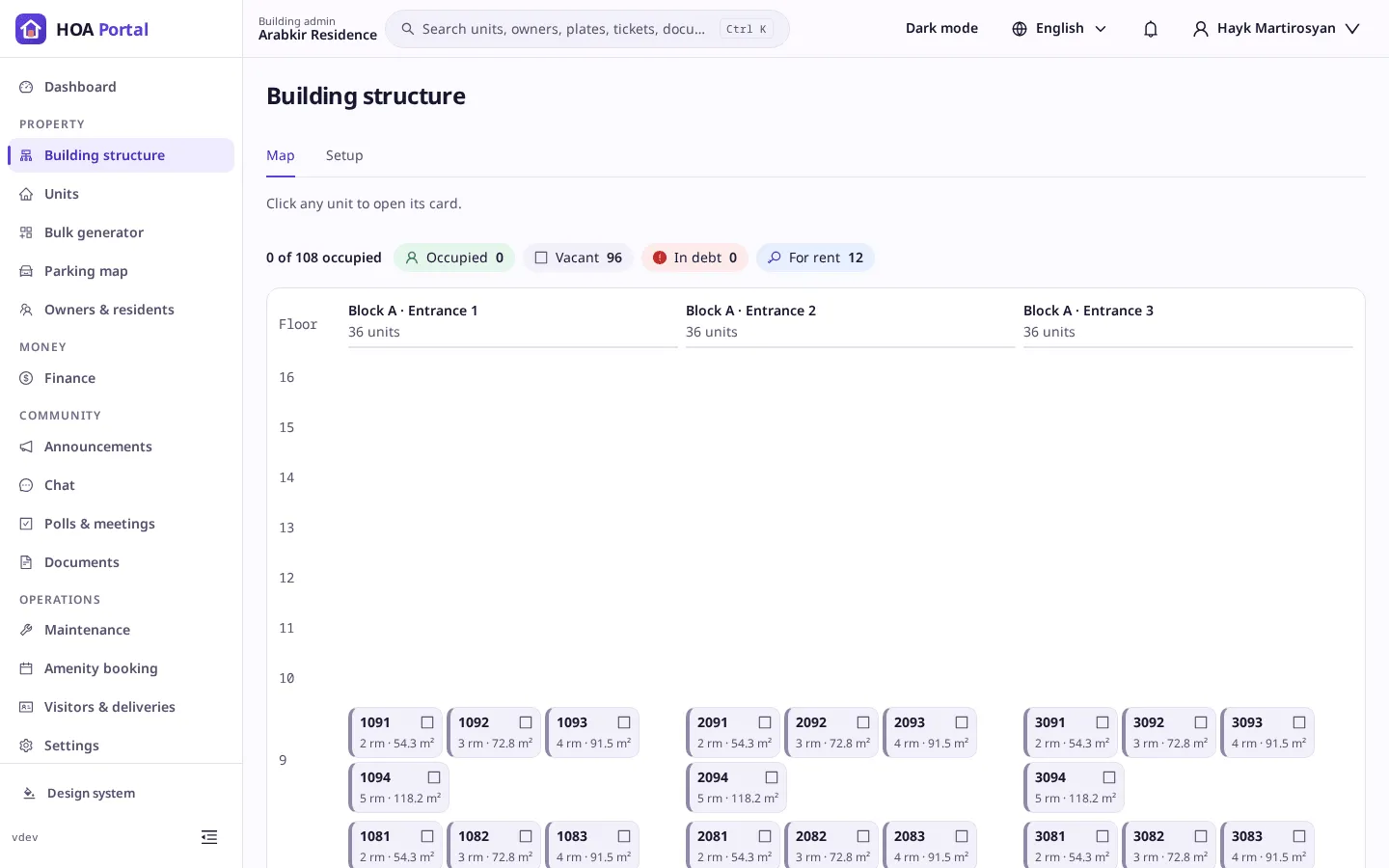
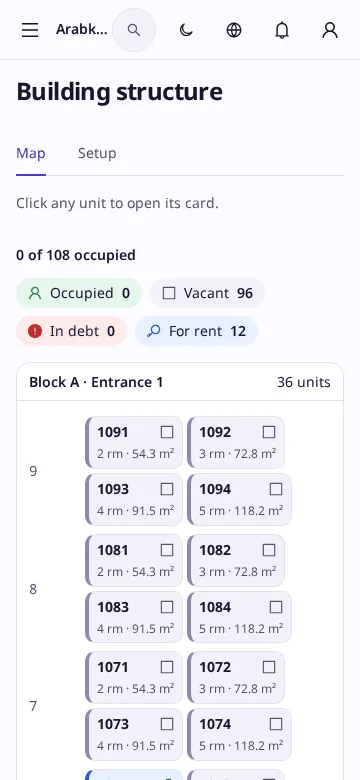
Open the Map tab. Once units are placed on entrances and floors, the chessboard shows each one, coloured by its status.
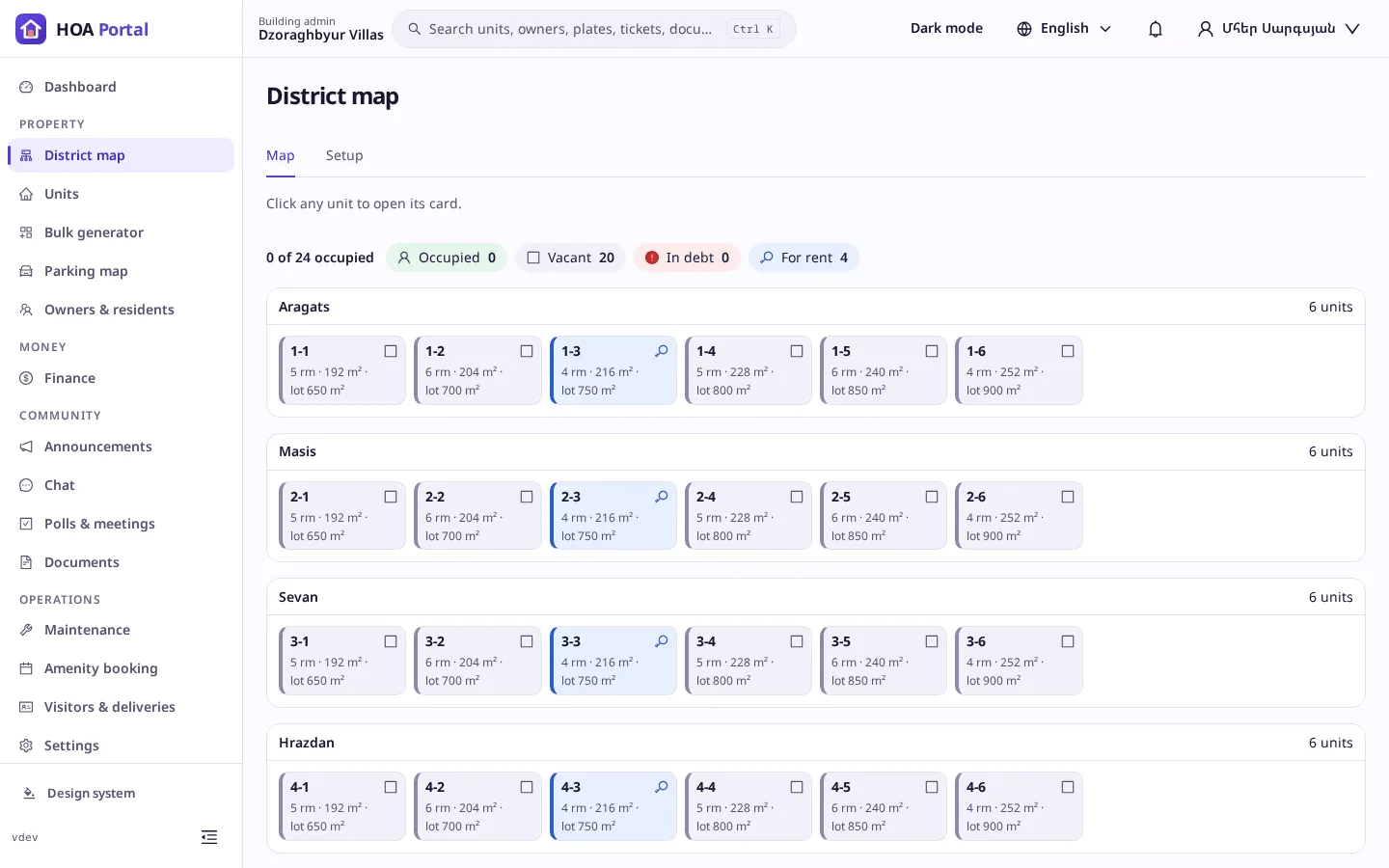
A district shows each street with its houses:
Result
Each change is saved at once, with a toast such as 17 added, and recorded in the audit log. On a phone the map shows one card per entrance:
An element that active units use cannot be deleted; move or archive the units first.