Edit a sub-role's permissions
Choose what an Accountant, Board member, Maintenance staff or Concierge may do in one complex, or on the whole platform.
Who: a Complex Admin (or an Org or Global Admin) for one complex; the Global Admin for the platform defaults. Path: Complex context › Sidebar › Settings › Roles & permissions.
In one complex
-
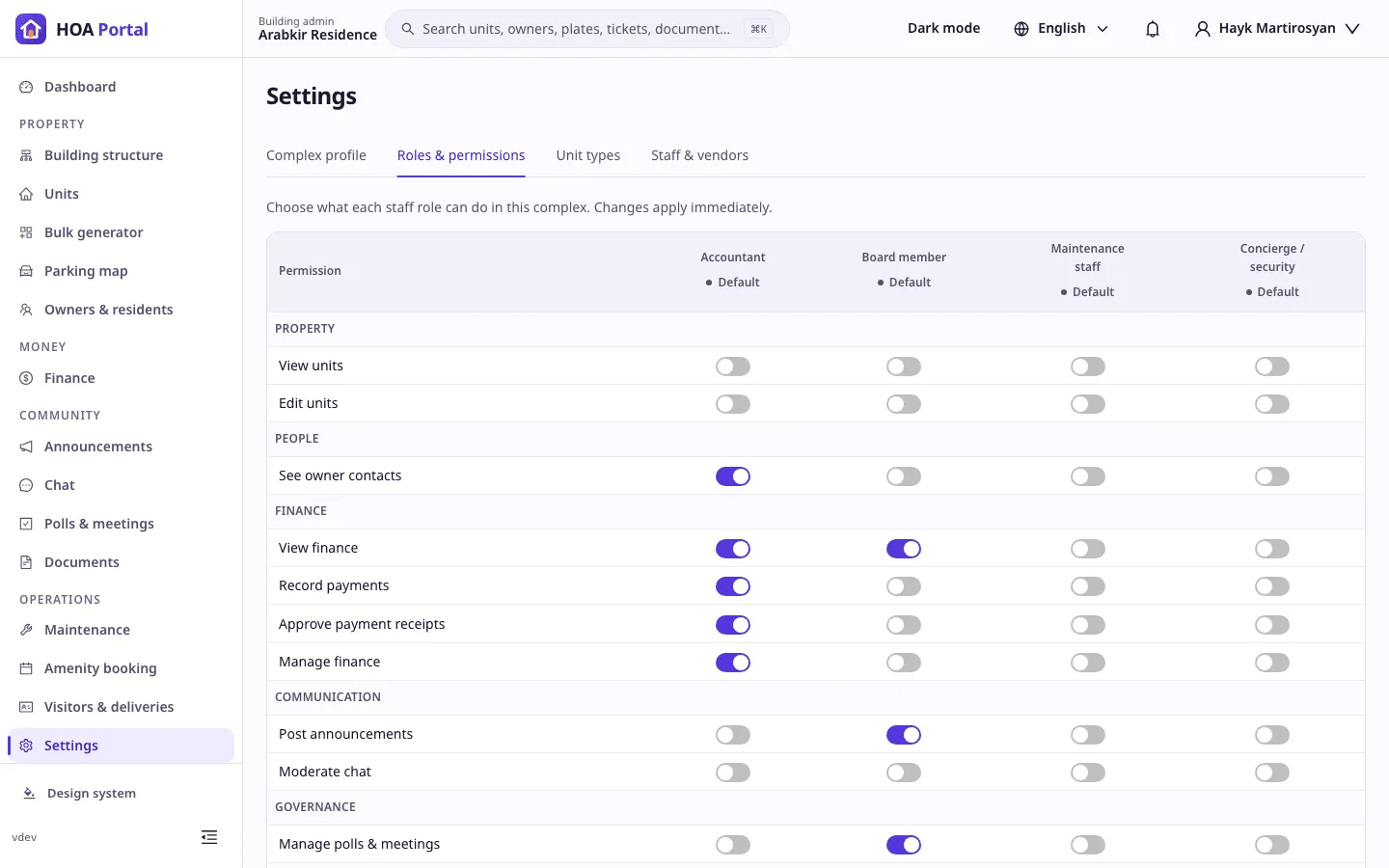
Open Settings and the Roles & permissions tab. The four staff roles are the columns; each is marked Default or Customized.
-
Switch a permission on or off for a role. It saves at once: Permission updated for Accountant. The role becomes Customized, and everyone with it in this complex gets the change immediately.
-
To go back, select Reset to defaults under the role and confirm: the complex follows the platform defaults for that role again.
A customized role keeps at least one permission, so its last switch is locked; use Reset to defaults instead.
For the whole platform (Global Admin)
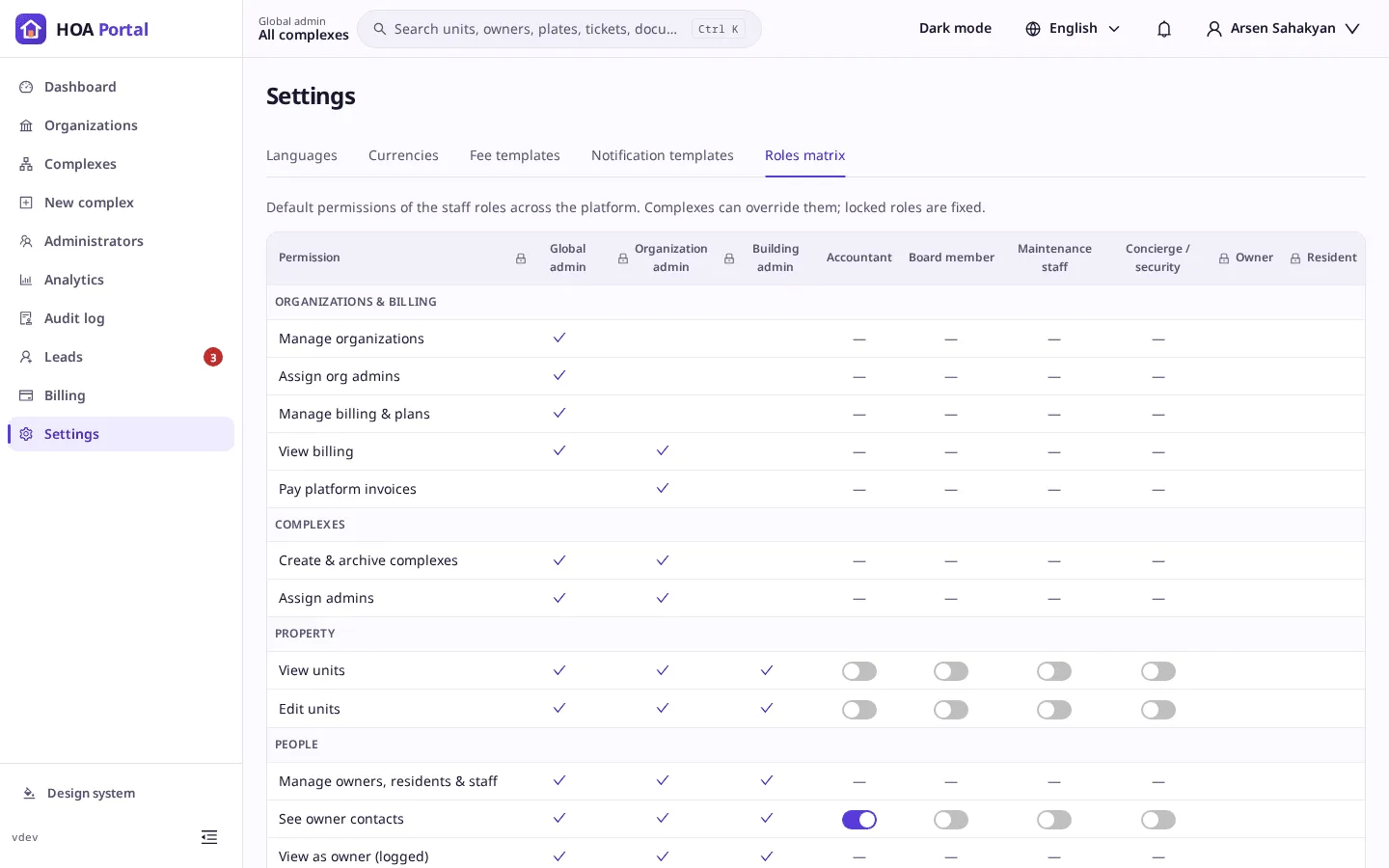
Open Settings › Roles matrix in the platform context. It shows every role; the fixed ones carry a lock. The switches of the four staff roles set the defaults that every complex without its own changes follows.
Result
Each change is written to the audit log with the old and new permissions. See Roles and permissions for which permissions a staff role can get.