My properties and profile
Every unit you hold, inviting family and tenants with limited access, your contact details and privacy, and the documents that prove your ownership.
As an owner you have two pages of your own: My properties and Profile & notifications.
My properties
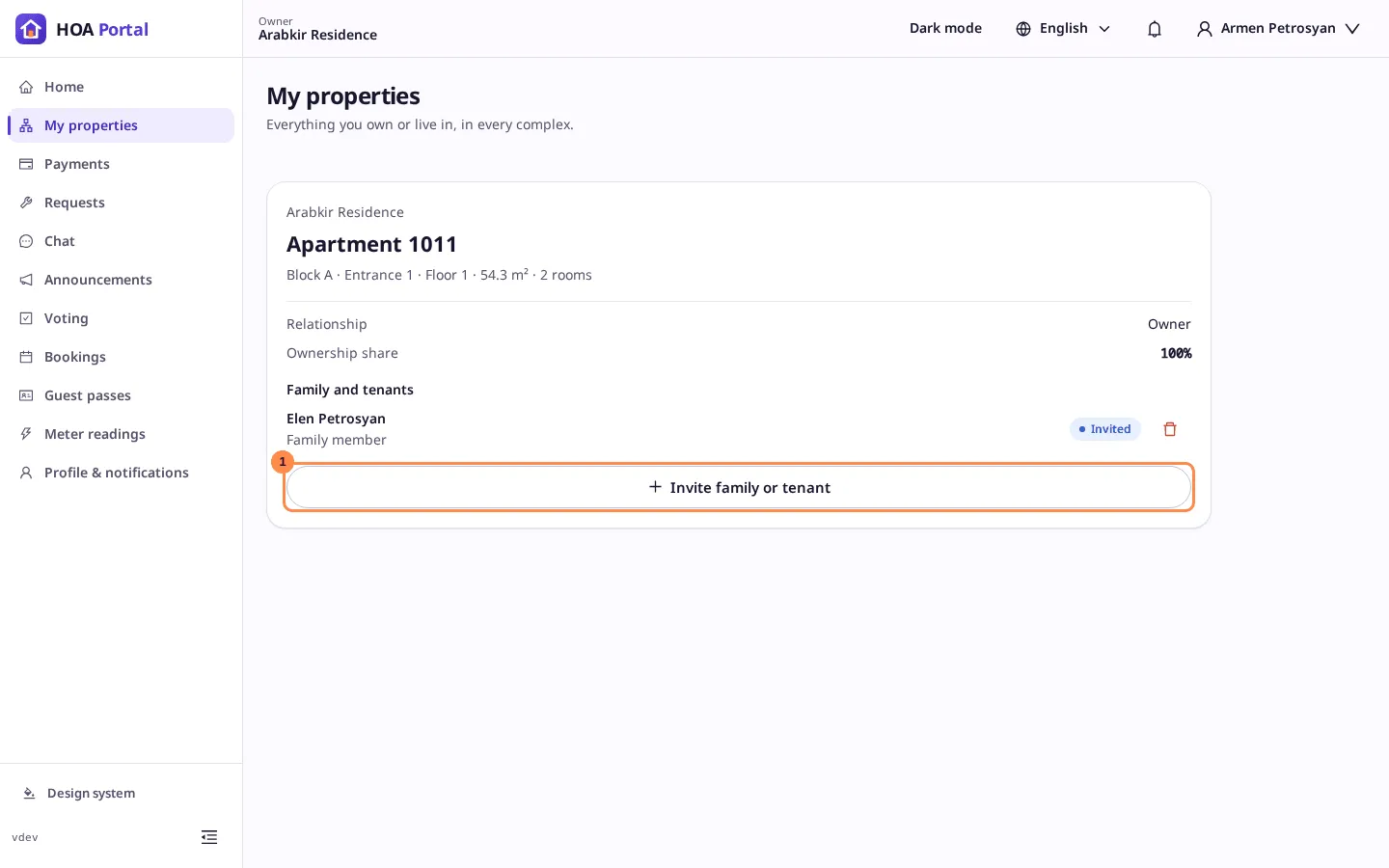
Sidebar › My properties (on a phone, under More) lists every unit you hold, in every complex, not only the one you are in. Units of other complexes come below, under Also in and the complex’s name.
Each card shows the unit, where it is, its area and rooms, your relationship to it, and your Ownership share with the names and shares of the other owners. Their phone numbers and emails are never shown.
Invite family or a tenant
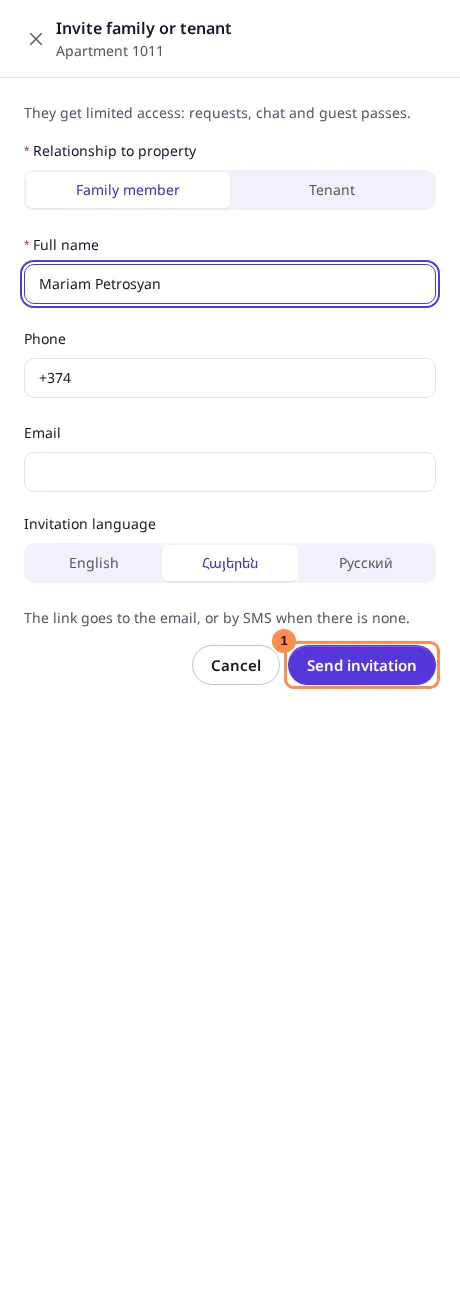
On a home you own or co-own, select Invite family or tenant:
- Choose Family member or Tenant.
- Enter their Full name, and a Phone or an Email, or both. A number without a country code is Armenian.
- Choose the language of the invitation and select Send invitation.
The link goes to the email, or by SMS when there is none. Family and tenants get limited access: requests, chat and guest passes. They never see your finances and cannot invite anyone. Parking slots and storage rooms take no family or tenants.
The people you invited are listed on the card, Invited until they accept. To take someone’s access back, select the bin next to their name and confirm. Someone who has not accepted yet and was invited only to this home loses their invitation at once.
Profile & notifications
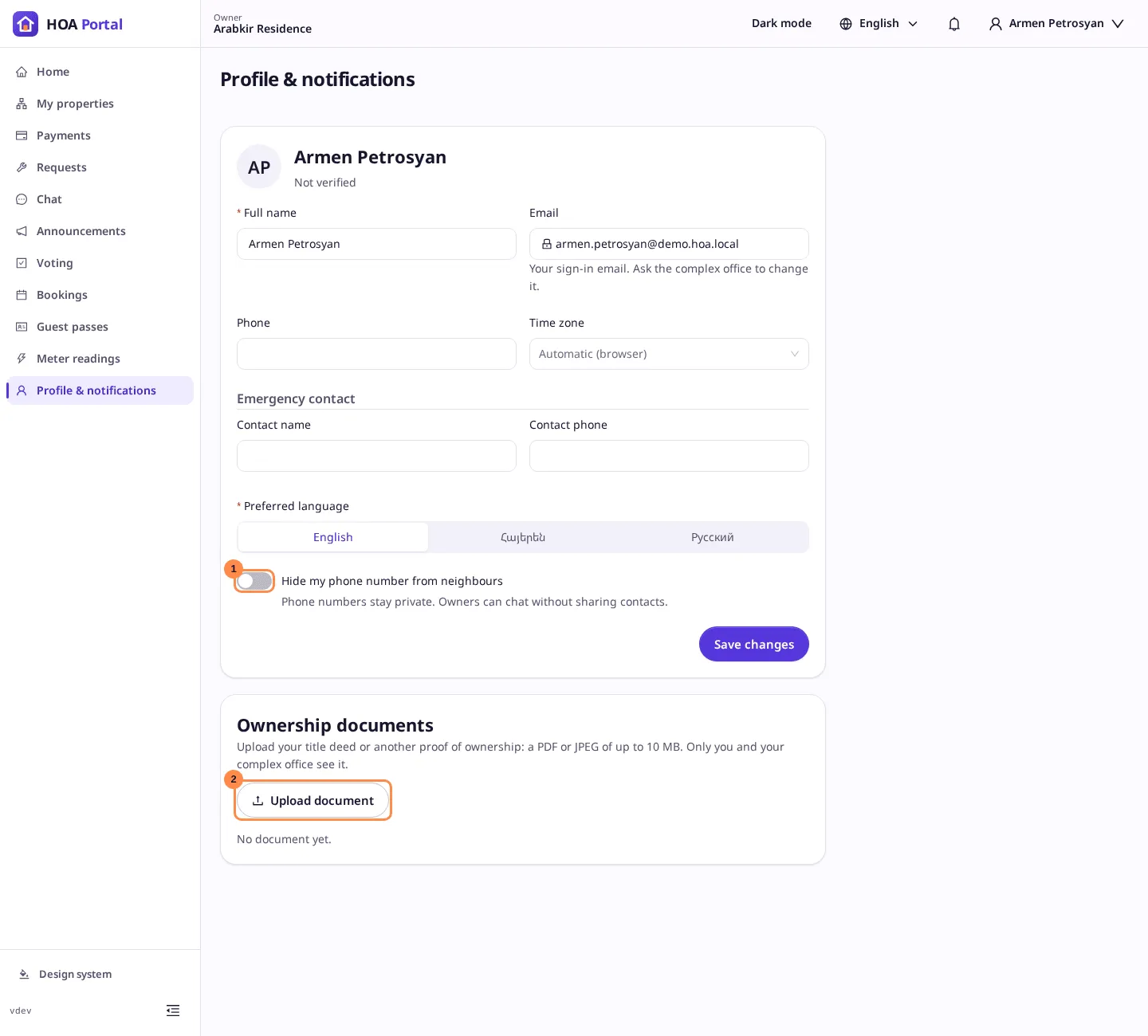
Sidebar › Profile & notifications keeps your own details, the same in every complex:
- Full name, Phone and your Emergency contact.
- Email, your sign-in name. To change it, ask the complex office.
- Preferred language and Time zone. Leave the time zone empty to follow your browser.
- Hide my phone number from neighbours. Phone numbers stay private: owners can chat without sharing contacts. The complex office still sees your phone.
Select Save changes. Leaving the page with unsaved changes asks first.
Prove your ownership
Under Ownership documents, select Upload document and choose your title deed or another proof of ownership: a PDF or a JPEG of up to 10 MB. Only you and your complex office see it.
Once a document is on file, the complex office can verify your ownership. Your profile then reads Ownership verified with the date. Nobody can verify their own ownership. Deleting a document leaves a verification as it is.