Create a complex
Set up a building or a district: type, organization, name and address, map, structure counts, legal details, currency and languages.
Who: the Global Admin, or an Org Admin in their organization. Path: Sidebar › Complexes › New complex (or Sidebar › New complex).
Steps
-
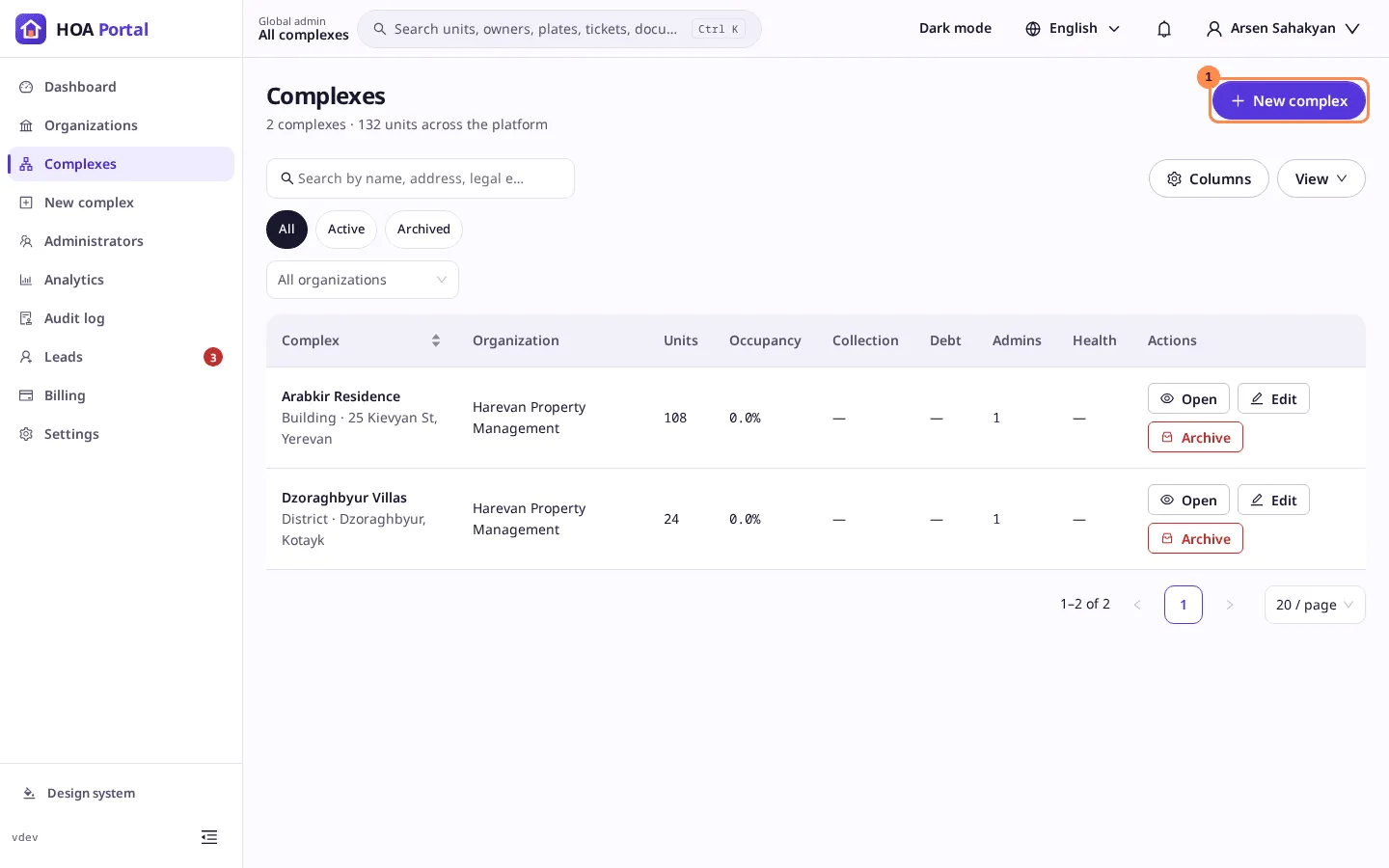
Open Complexes and select New complex (1).
-
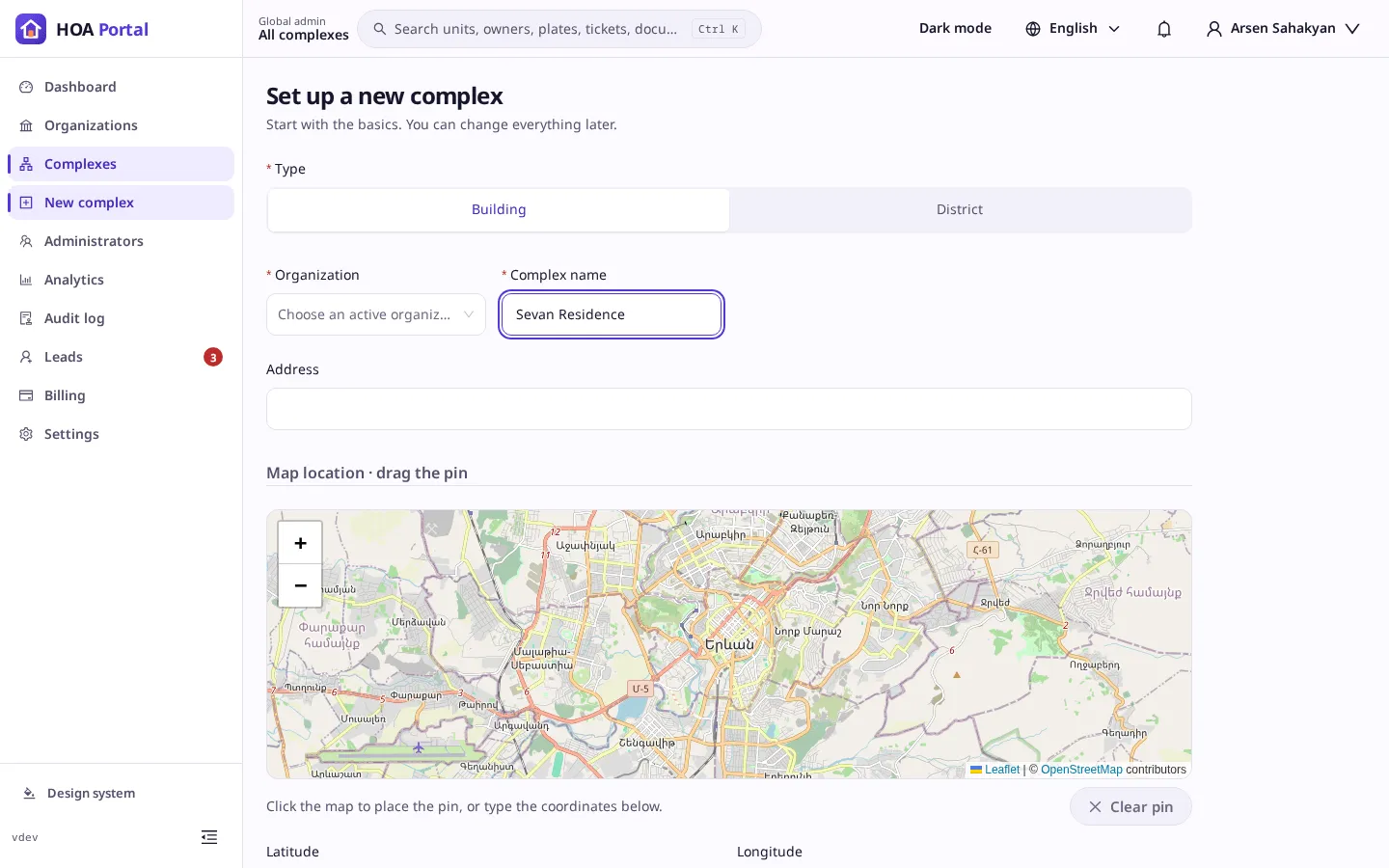
On Set up a new complex, start with the basics:
- the Type: Building or District;
- the Organization (in the organization context it is already set);
- the Complex name and the Address;
- the Map location: click the map to place the pin and drag it into place, or type the latitude and longitude;
- optionally a Photo, JPEG, PNG or WebP up to 5 MB.
-
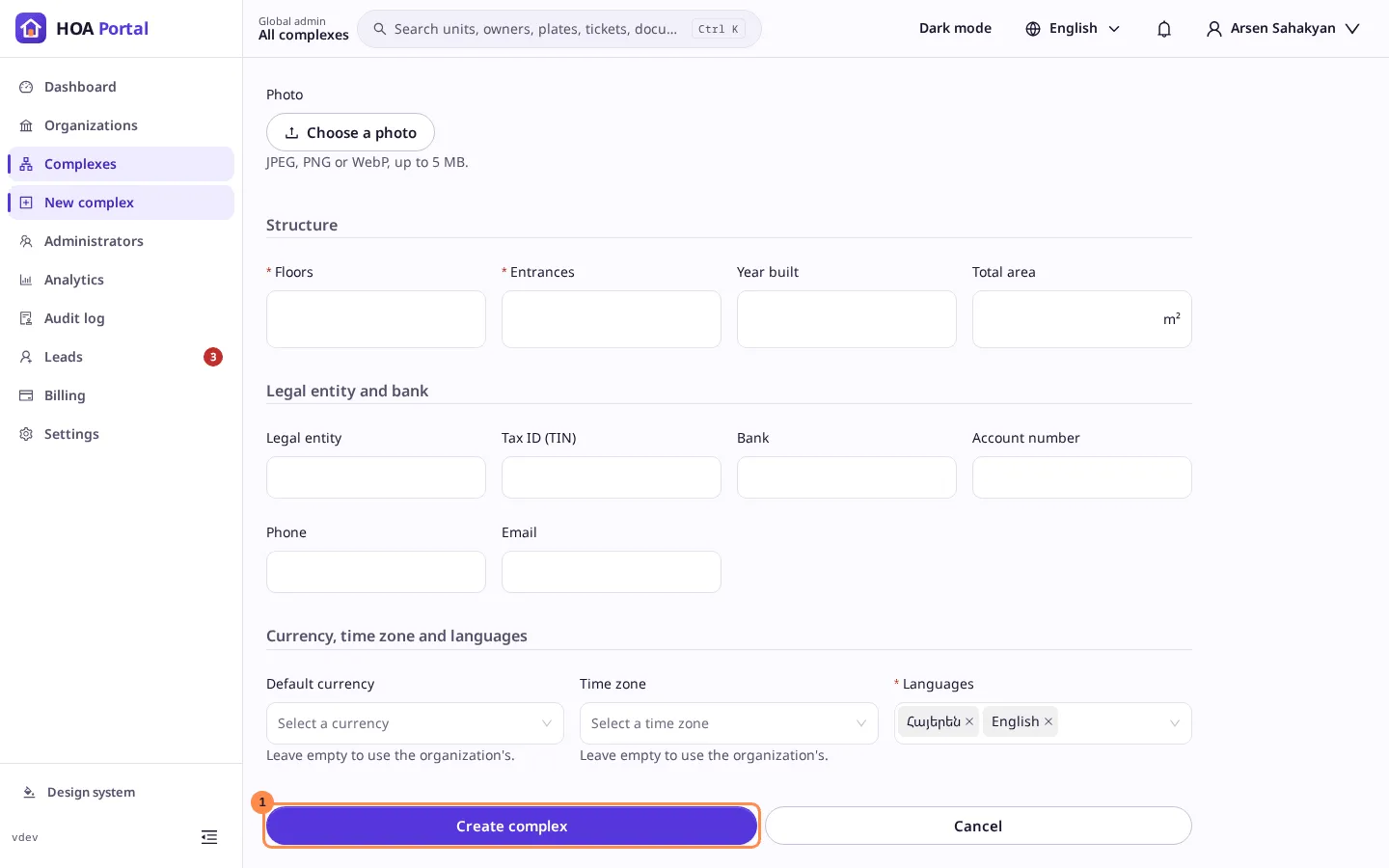
Further down:
- Structure: for a building the number of Floors and Entrances, for a district its Blocks; the Year built and the Total area;
- Legal entity and bank: the legal entity, TIN, bank, account number, phone and email;
- Currency, time zone and languages: leave the currency and time zone empty to take the organization’s, and choose at least one language.
-
Select Create complex (1).
Result
The toast says Sevan Residence created, and the complex appears in the list. Open on its row enters it as its admin. Next:
- build its structure;
- appoint its administrators;
- check its profile.
Only an active organization can get a new complex; in a suspended or archived one the page says so and nothing is created.