Edit the complex profile
Change a complex’s name, address, legal and bank details, contacts, currency, languages and time zone.
Who: a Complex Admin; an Org or Global Admin for the time zone. Path: Complex context › Sidebar › Settings › Complex profile.
Steps
-
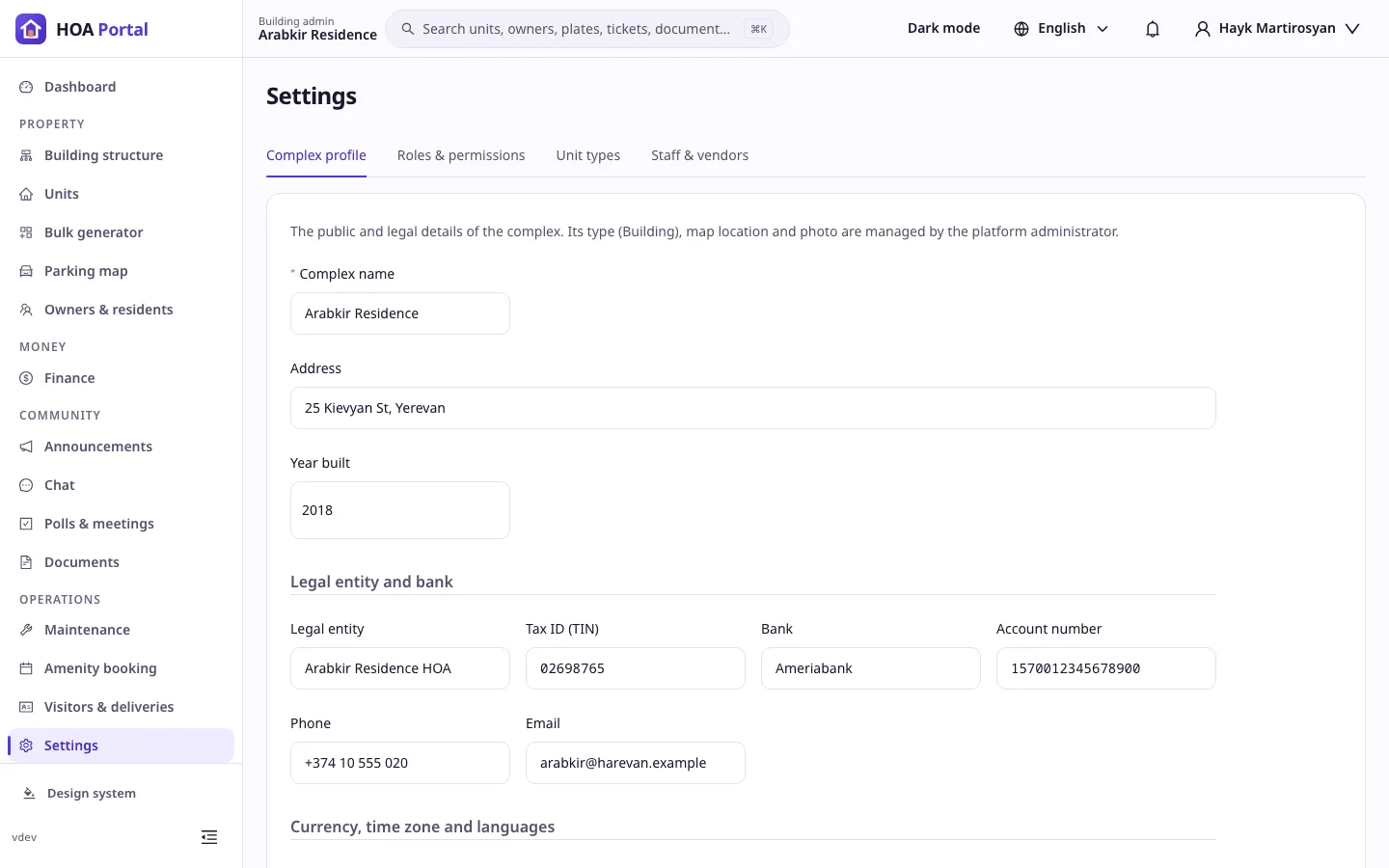
Enter the complex with the context switcher, then open Settings. Complex profile is the first tab.
-
Change what you need: the Complex name, Address and Year built, and under Legal entity and bank the legal entity, TIN (8 digits), bank, account number, phone and email.
-
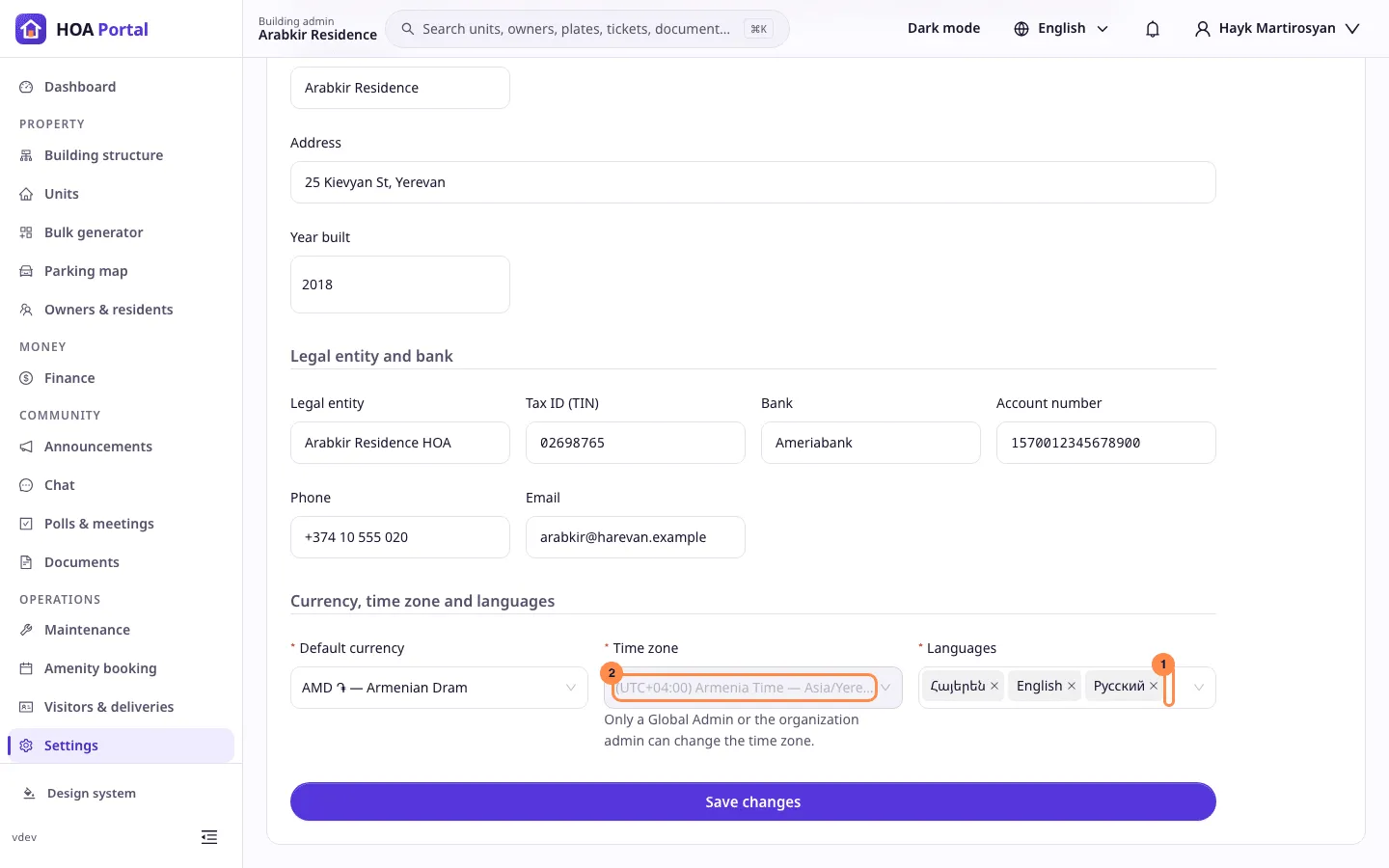
Under Currency, time zone and languages:
- Languages (1): the languages the complex uses. English cannot be removed; it is the fallback for content without a translation.
- Time zone (2): only a Global Admin or the organization’s admin can change it; a Complex Admin sees Only a Global Admin or the organization admin can change the time zone.
- Default currency: the complex’s currency.
-
Select Save changes in the bar at the bottom. If you changed the time zone, confirm Change time zone: scheduled runs follow the new zone from now on, and dates already recorded stay as they are.
Result
The toast says Changes saved, and the audit log records which fields changed. If a colleague saved the profile meanwhile, choose Reload to see their version or Keep editing to carry on.
See Complex profile for every rule.
While the organization’s plan includes White label, the page ends with a Branding card for the complex’s own display name and logos: Save name saves the name, and each image is saved as soon as it is uploaded. See Brand your portal.