Follow up leads
Work through the website's contact requests: open each one, note what was agreed and move it along to converted or closed.
Who: the Global Admin. Path: Platform context › Sidebar › Leads.
Steps
-
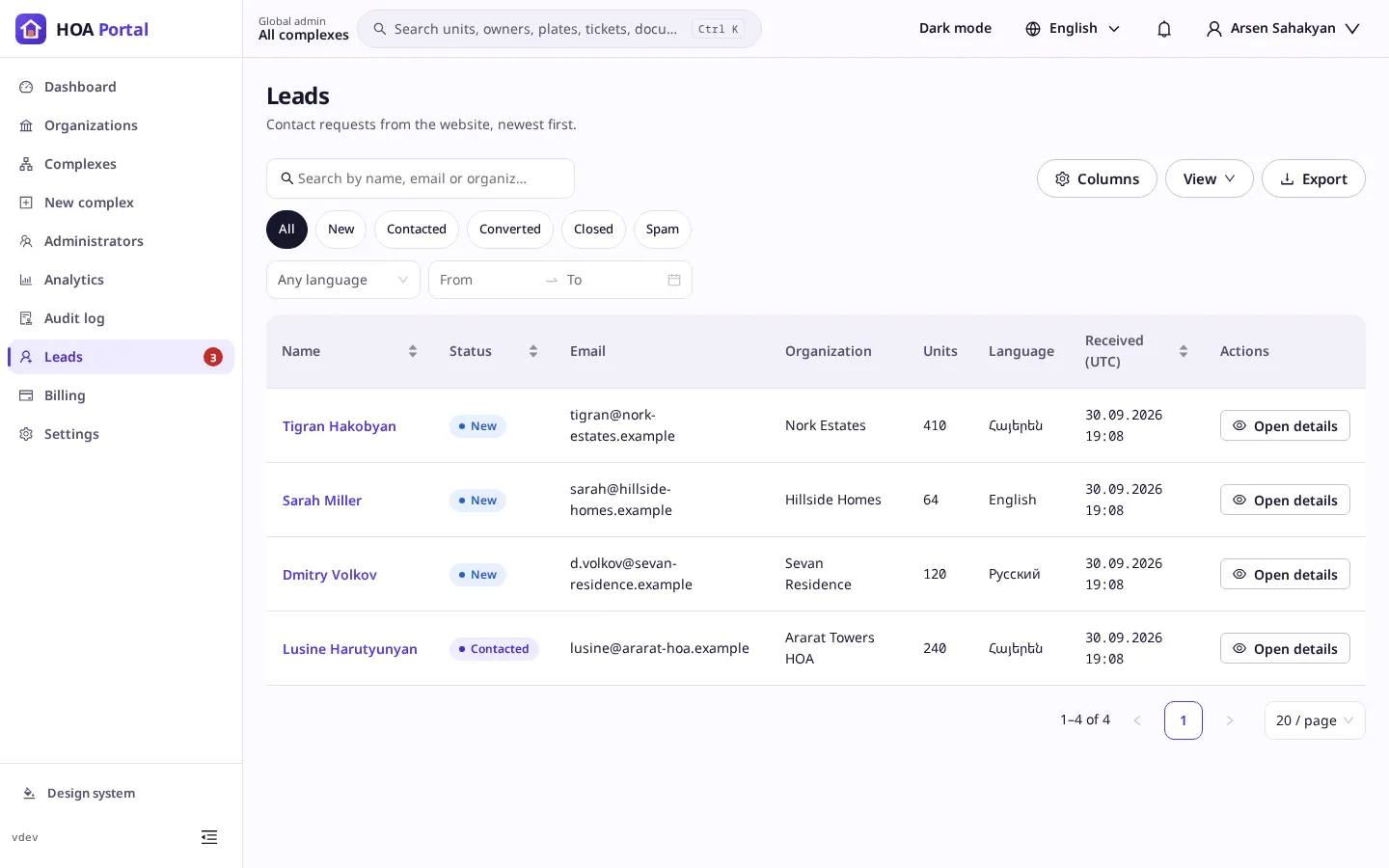
Open Leads. The badge next to it counts the New ones. The list shows each visitor’s name, status, email, organization, units, language and when the message arrived.
-
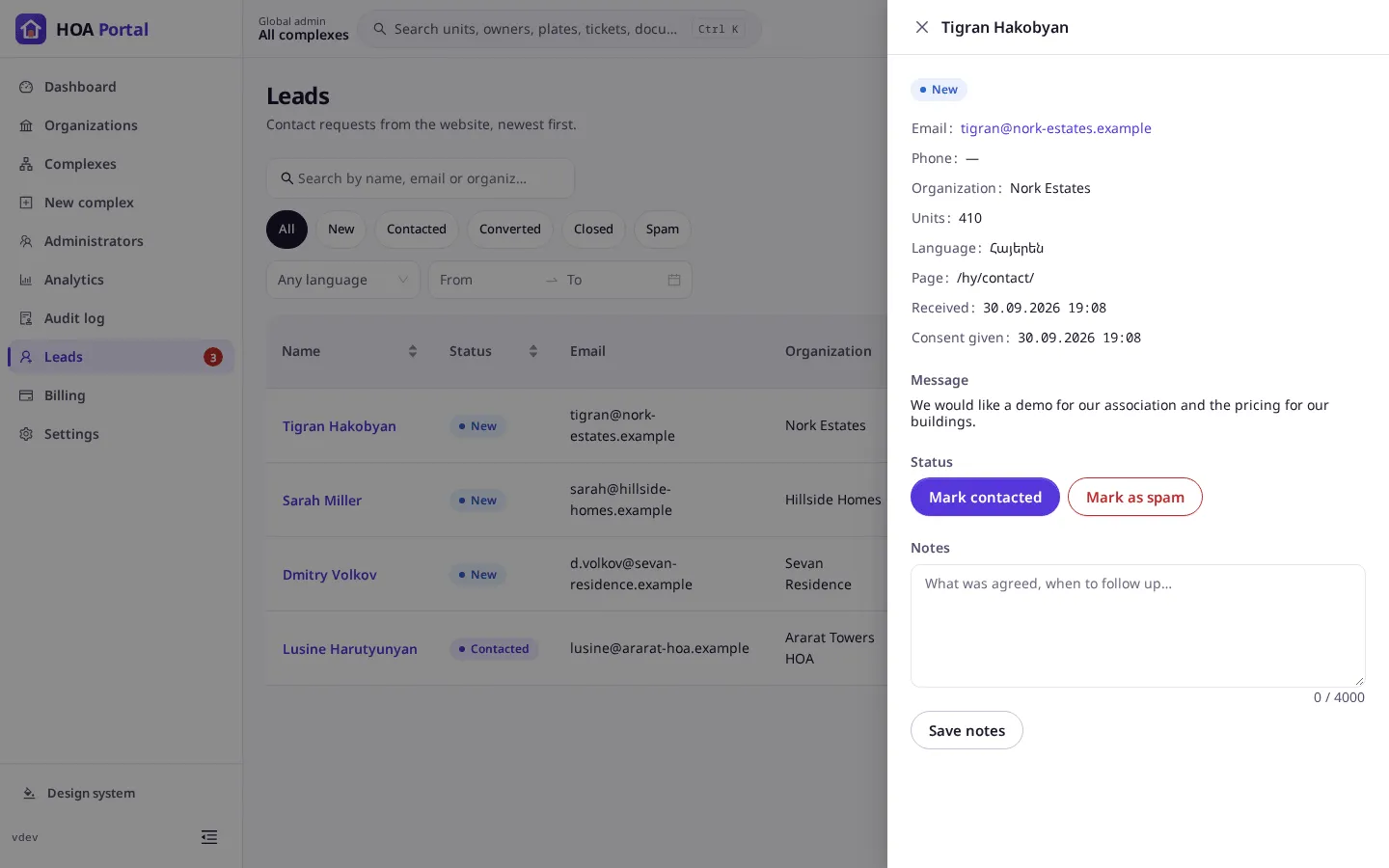
Select a name to open the lead on the right: the contact details, the page it came from, when the visitor consented, and the Message.
-
After you reach the visitor, select Mark contacted and confirm. A lead cannot be moved back, so the portal asks first.
-
Write what was agreed in Notes and select Save notes.
-
When it is settled, select Mark converted or Close. Junk goes to Mark as spam.
Result
The toast confirms the new status, such as The lead is now “Contacted”., and the change is written to the audit log. Export the list to Excel or CSV for your sales tools. Leads are deleted 24 months after they arrive.