Sign in and pick a context
From the sign-in page to working in the right organization or complex.
Who: everyone. Path: Sign-in page › Context switcher.
Steps
-
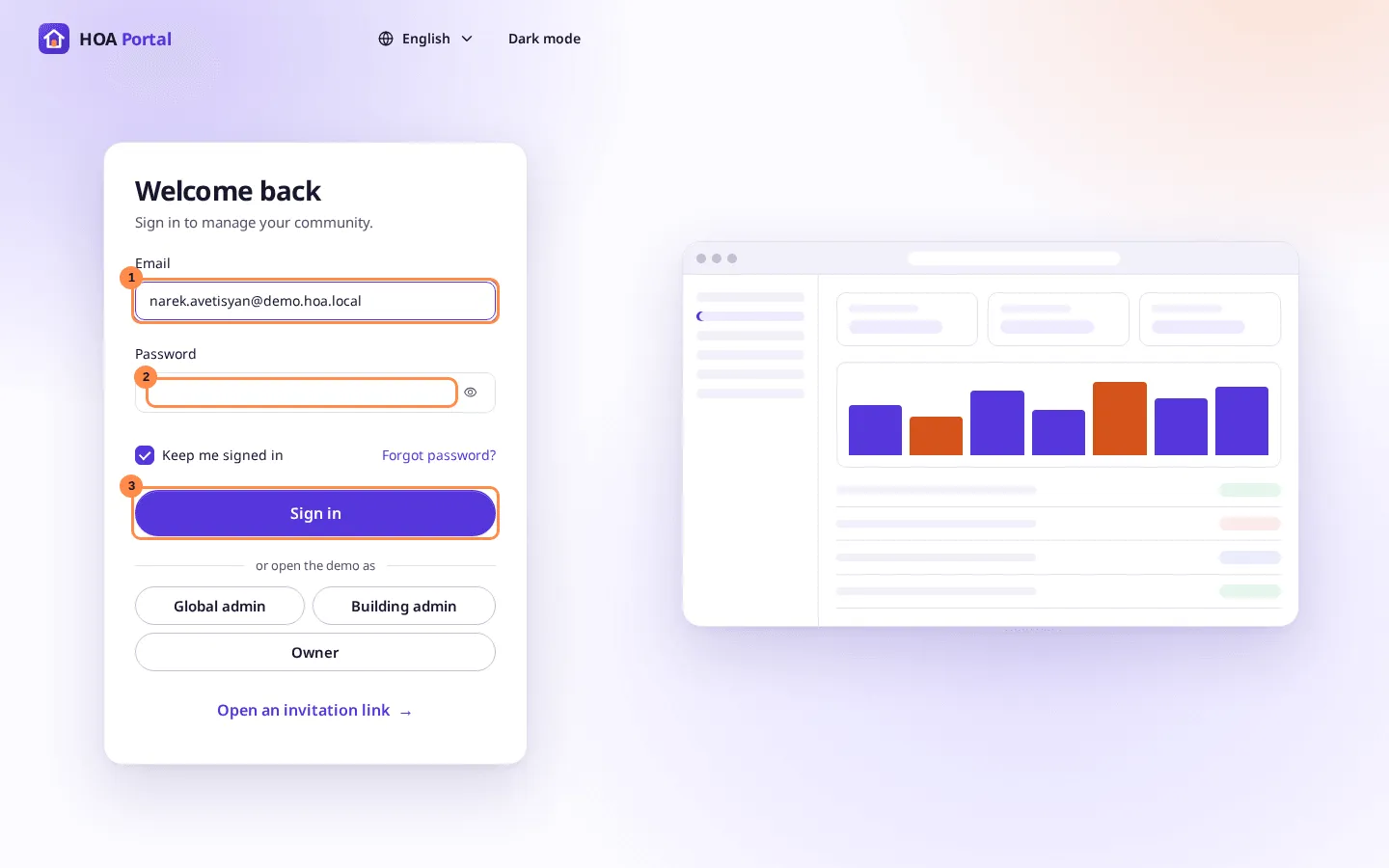
Open the portal. On Welcome back, enter your Email (1) and Password (2), and select Sign in (3).
-
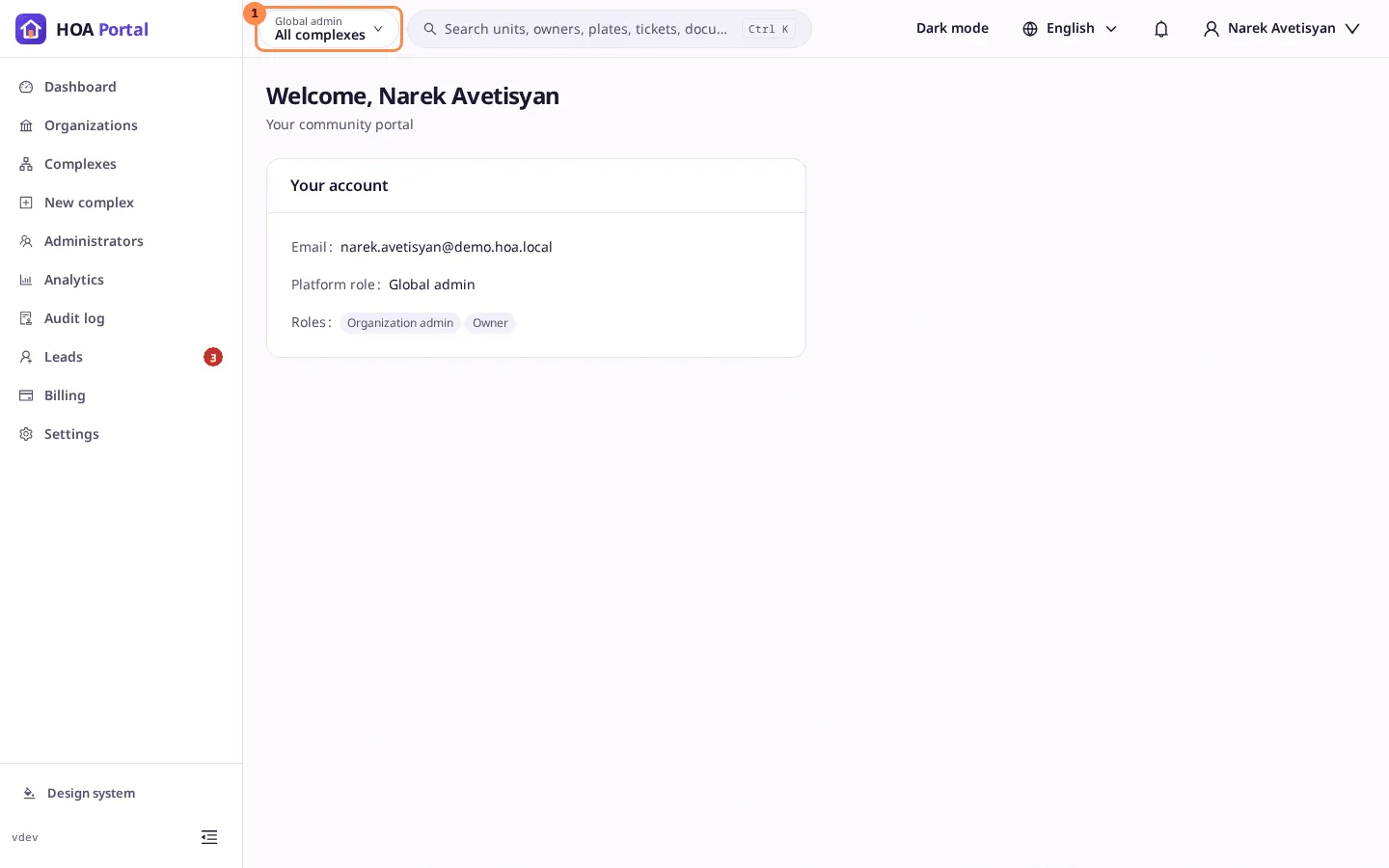
The home page opens with Welcome, your name and your roles. The context switcher at the top left shows where you are now.
-
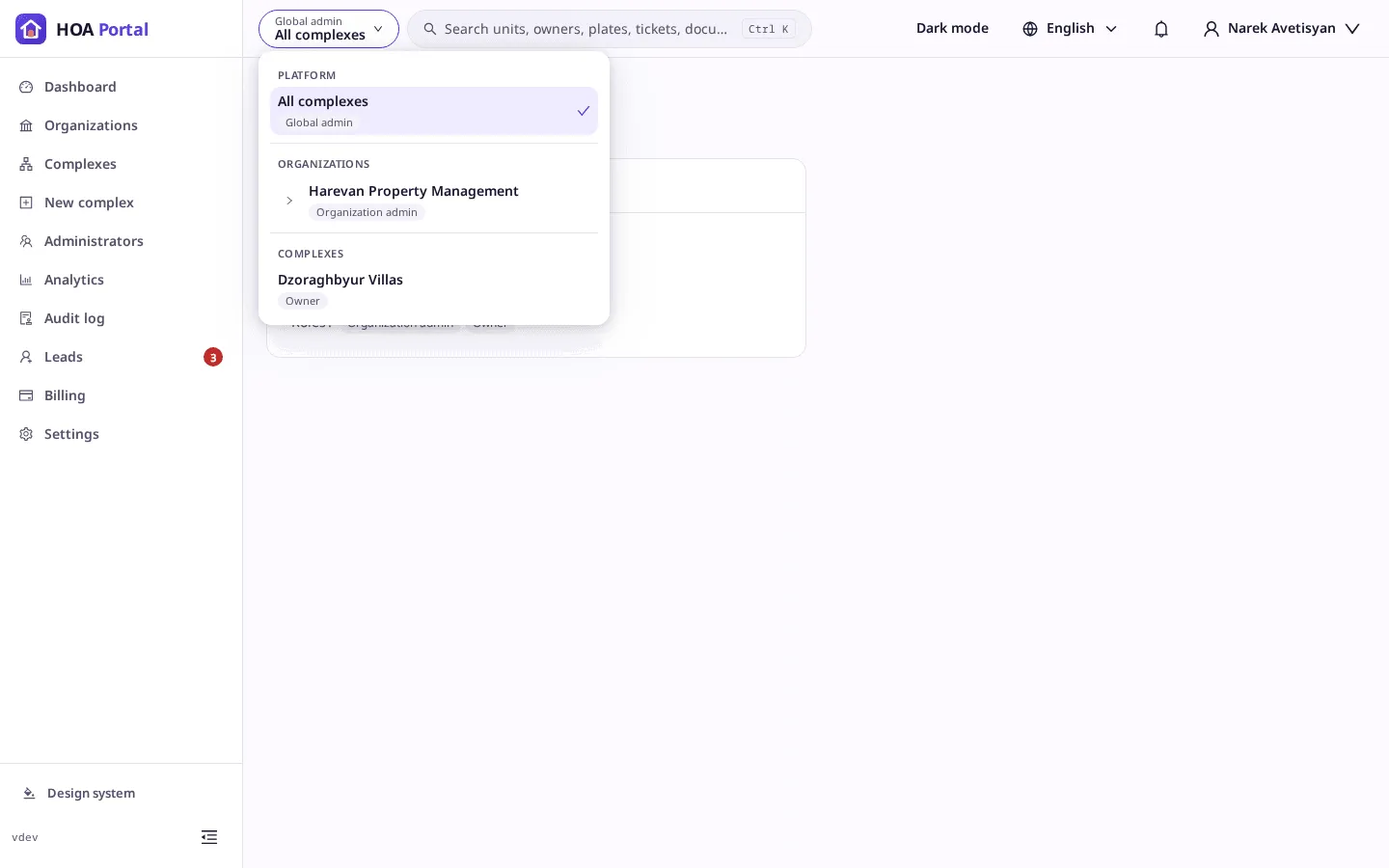
Select the context switcher. Your contexts lists the platform, your organizations and your complexes, each with your roles there.
-
Select the context to work in. To enter one of an organization’s complexes as its admin, expand the organization first.
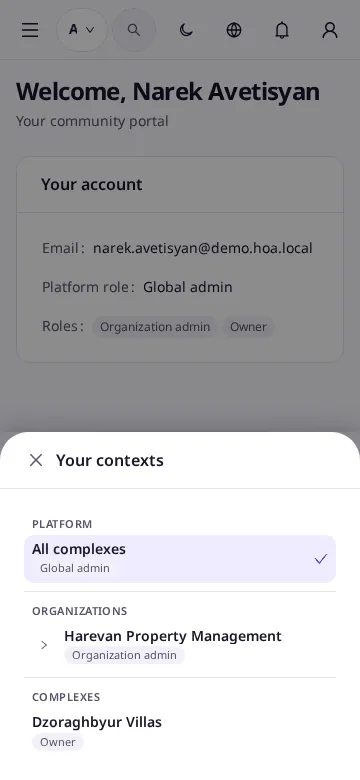
On a phone, the list opens as a sheet from the bottom:
Result
The sidebar shows the menu of the context you picked, and the portal opens it again next time you sign in. If you picked a complex, the header shows your role there and the complex’s name.
See also Switch contexts.