Run a board election
Create an election, nominate and approve the candidates, follow the voting, read the ranking, break a tie and seat the elected board.
Who: the Complex Admin, or anyone whose role holds Manage polls & meetings. Nominating an owner and seating the board also need Manage owners, residents & staff. Path: Community › Polls & meetings.
An election runs in two stages. First it takes nominations: you nominate the owners who stand, and approve or reject each candidate. When nominations close, voting opens to the owners with the approved candidates, and each owner picks up to as many candidates as there are seats.
The owners’ side of elections, standing from their Voting page and casting an election ballot there, is still to come in the app (#743); until then owners vote through the API.
Steps
-
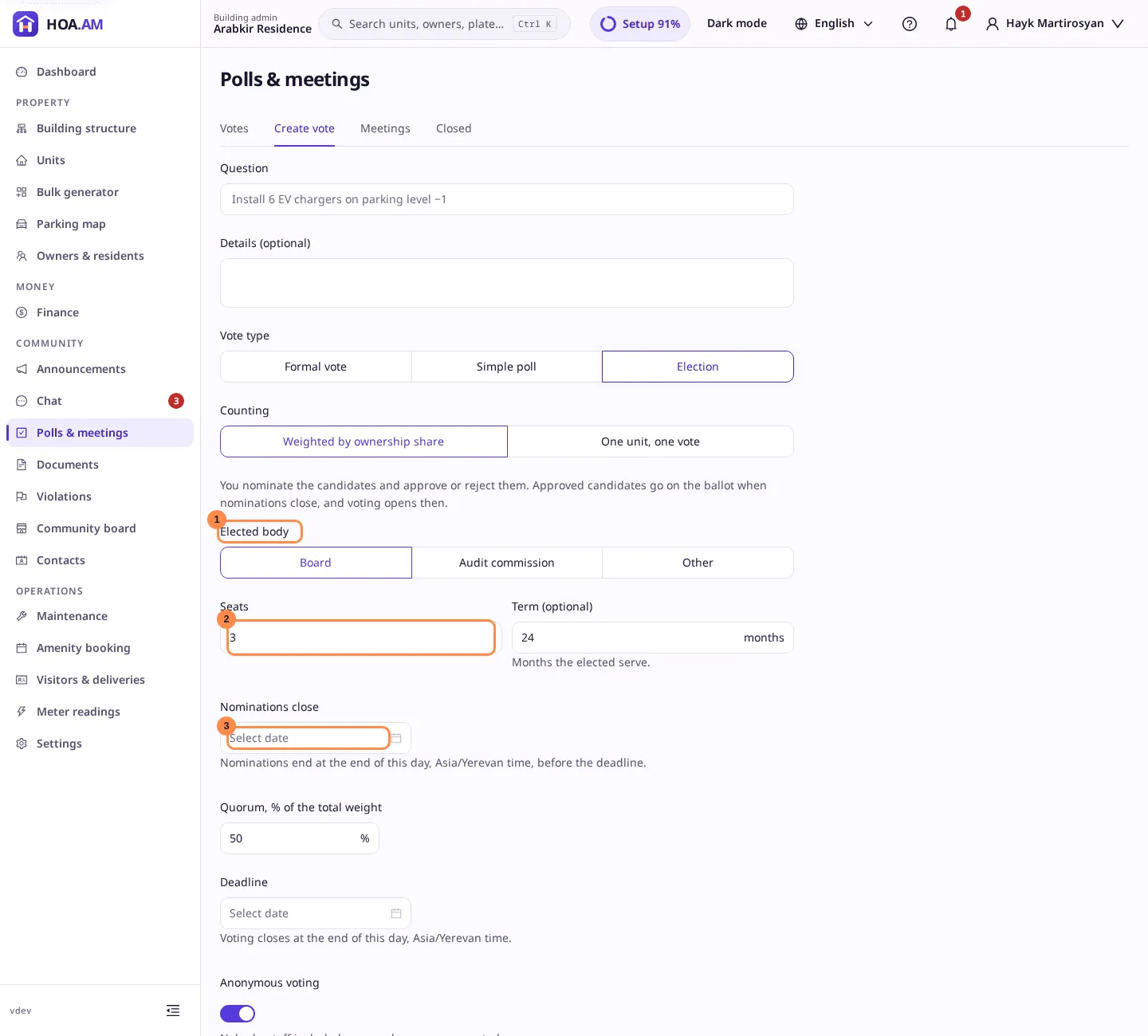
Open Create vote and choose Election as the vote type.
-
Fill in the question, then the election’s own fields:
- Elected body: Board, Audit commission or Other, which asks for the body’s name.
- Seats: 1 to 15.
- Term: optional, 1 to 60 months. The term ends that many months after the election closes.
- Quorum: the share of the total weight that must vote, from 1 to 100 %.
- Nominations close: nominations end at the end of this day, which must come before the deadline.
- Deadline: voting closes at the end of this day.
Ballots are anonymous by default; you can turn that off. Select Publish vote.
-
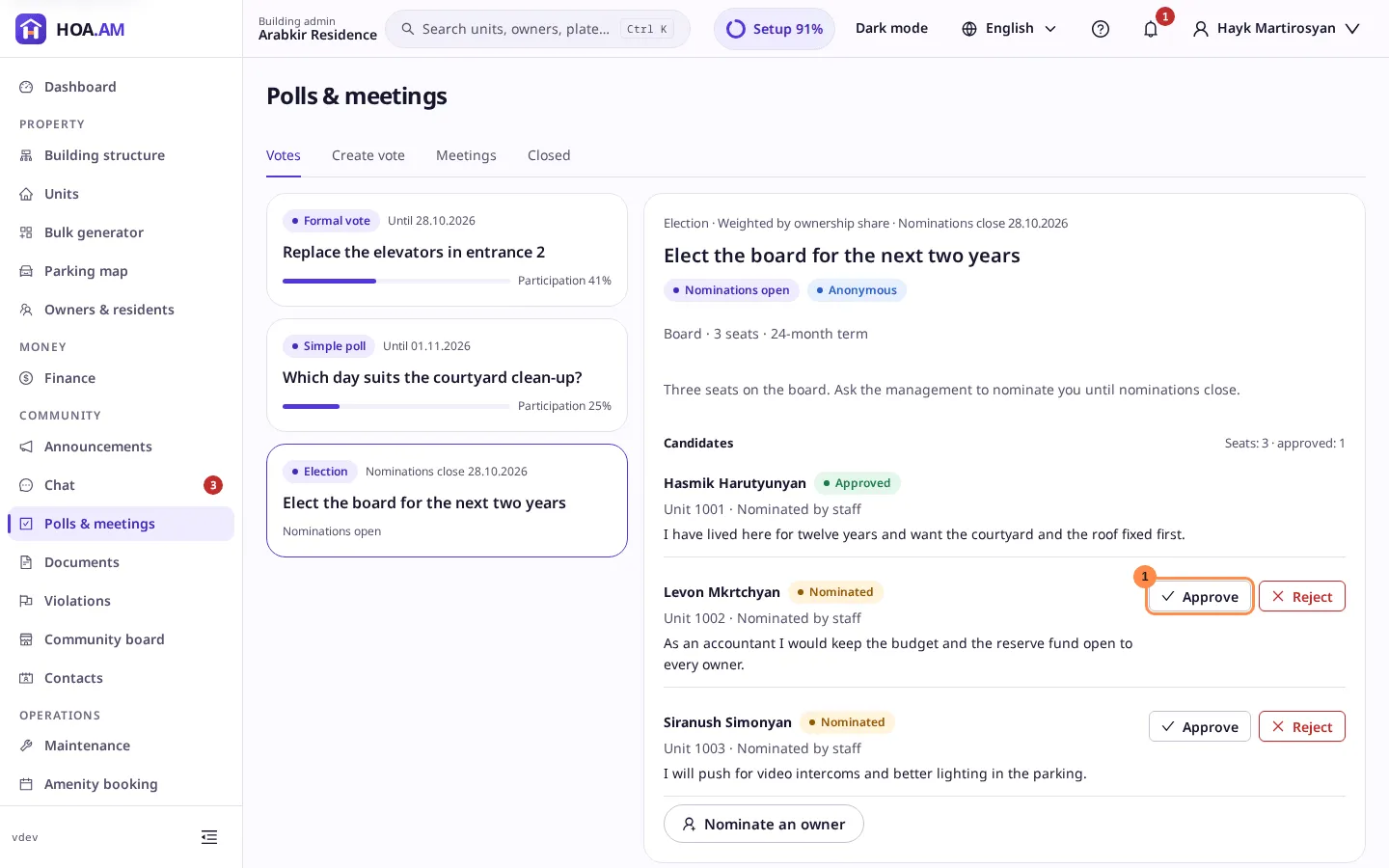
The election opens on the Votes tab with Nominations open. Its Candidates list shows who is standing. Select Nominate an owner to put an owner forward, with an optional statement. Only owners who may vote can stand.
-
Decide each nominated candidate: Approve puts them on the ballot, Reject asks for a reason, which the candidate is told. You cannot decide on your own candidacy.
-
When nominations close, the approved candidates go on the ballot and voting opens; the owners are notified. If nobody was approved, the election is cancelled. While voting is open the panel shows the turnout; an anonymous election shows the ranking only once it closes. Use Send reminder for the owners who have not voted.
-
After the deadline, open the election on Closed. The Ranking lists the candidates by the weight cast for them, with Elected on the winners.
-
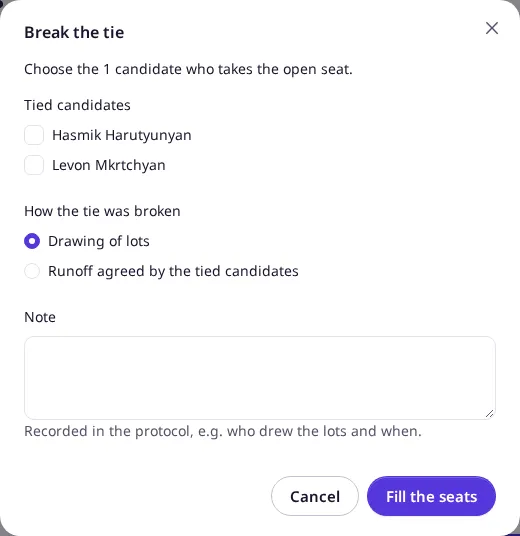
If the last seats are tied, the outcome is Tie and the tied candidates are tagged Tied. Settle the tie as your bylaws say, then select Break the tie: tick exactly as many tied candidates as there are open seats, choose how the tie was broken (Drawing of lots or Runoff agreed by the tied candidates) and write a note for the protocol.
-
For a board election, select Seat the elected to give the winners the Board member role. See Votes.
Result
The election’s outcome is Elected and the panel shows the ranking, how a tie was broken and, once seated, when the term ends. Export protocol (PDF) includes the ranking and the tie-break. Every step is written to the audit log.