Payment methods
How owners can pay a complex: bank transfer to its account, cash at the office, and online through Idram, Telcell or ArCa.
Payment methods decides how the owners of a complex can pay what they owe. Owners see the methods turned on here when they pay from Payments.
Who can use it
Settings › Payment methods. A Complex Admin, and an Org or Global Admin inside the complex. Sub-roles never see it, because the merchant credentials decide where owners’ money goes.
Bank transfer
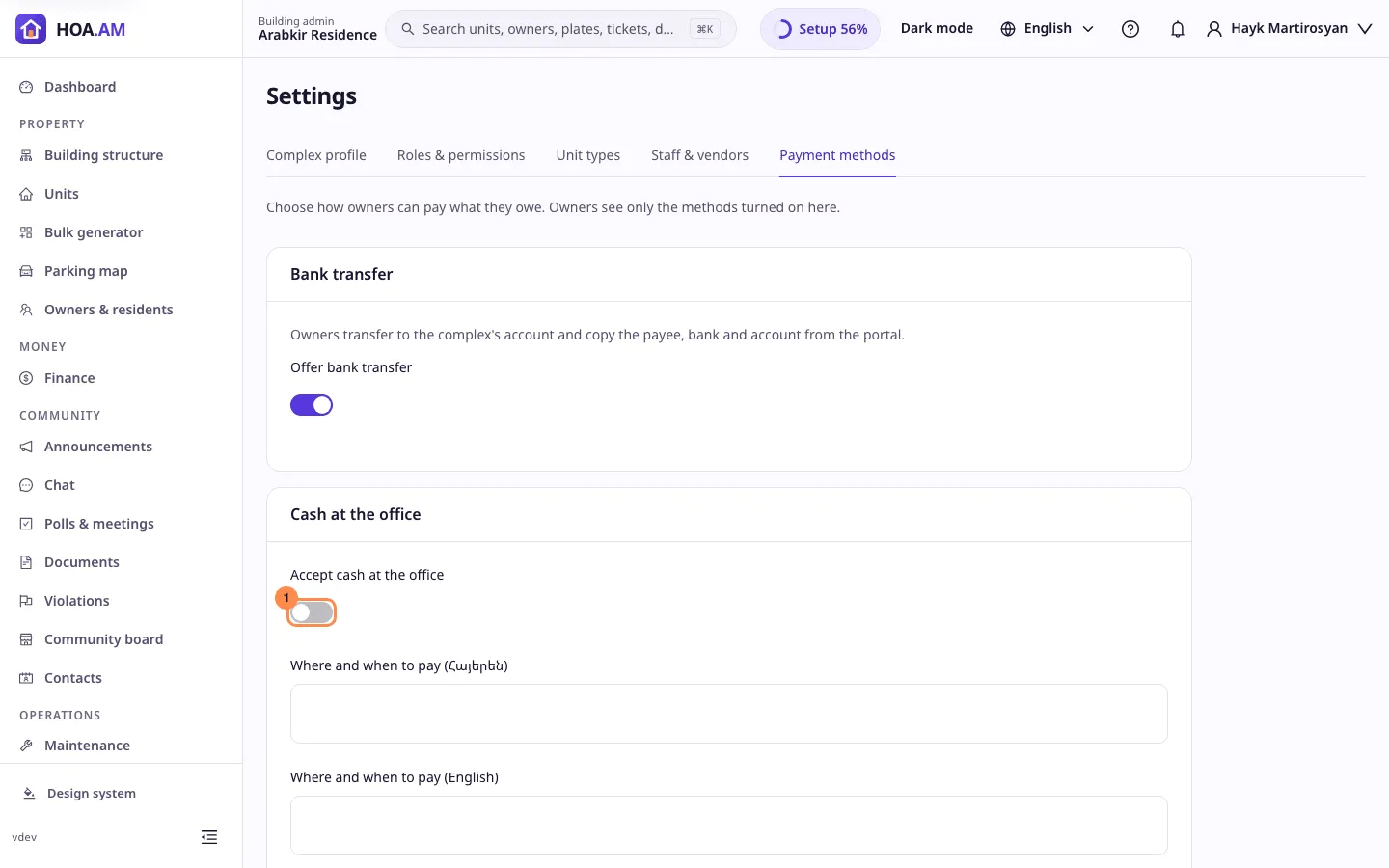
Owners transfer the amount to the complex’s account and get the payee, TIN, bank and account number with the transfer purpose to copy. Bank transfer is on by default, but owners are offered it only once the complex profile holds the legal entity, bank and account number. Until then the card says the details are missing and links to the profile.
Cash at the office
Turn on Accept cash at the office and write where and when owners can pay, in each language of the complex. English is required while cash is on, up to 2000 characters per language. Owners read the text in their own language, or in English.
Online payments
Each provider the platform supports has its own row: Idram, Telcell and ArCa.
- Merchant ID: what the provider calls your account: the IdramID, Telcell’s shop id or ArCa’s API user name. Required to turn a provider on.
- Secret key: Idram’s secret key, Telcell’s shop key or ArCa’s API password. It is never shown again once saved; the row says Stored. Leave the field empty to keep the stored secret, or type a new one to replace it.
- Webhook URL and Return URL: the addresses to register with the provider, with a copy button.
Card payments go through ArCa: owners pay a new card there, and a saved card is offered under ArCa.
Save
Save payment methods stores every card at once. If someone else saved the settings meanwhile, you are asked to reload. Every change is written to the audit log without the secrets or the instruction texts.
In the Getting started checklist
The Set up payment methods step of the Getting started checklist is done once owners have a way to pay: bank transfer with the bank details filled in, cash, or a provider that is turned on and holds its secret.