The Complex Admin dashboard
Collection, debt, tickets, occupancy, the budget, debtors, payments, what is coming up and your messages on one page.
Dashboard is where the portal opens for a complex. It shows how the complex is doing this month and what needs your attention. Each block shows only what your role may see in the complex: an accountant sees the money, maintenance staff the tickets.
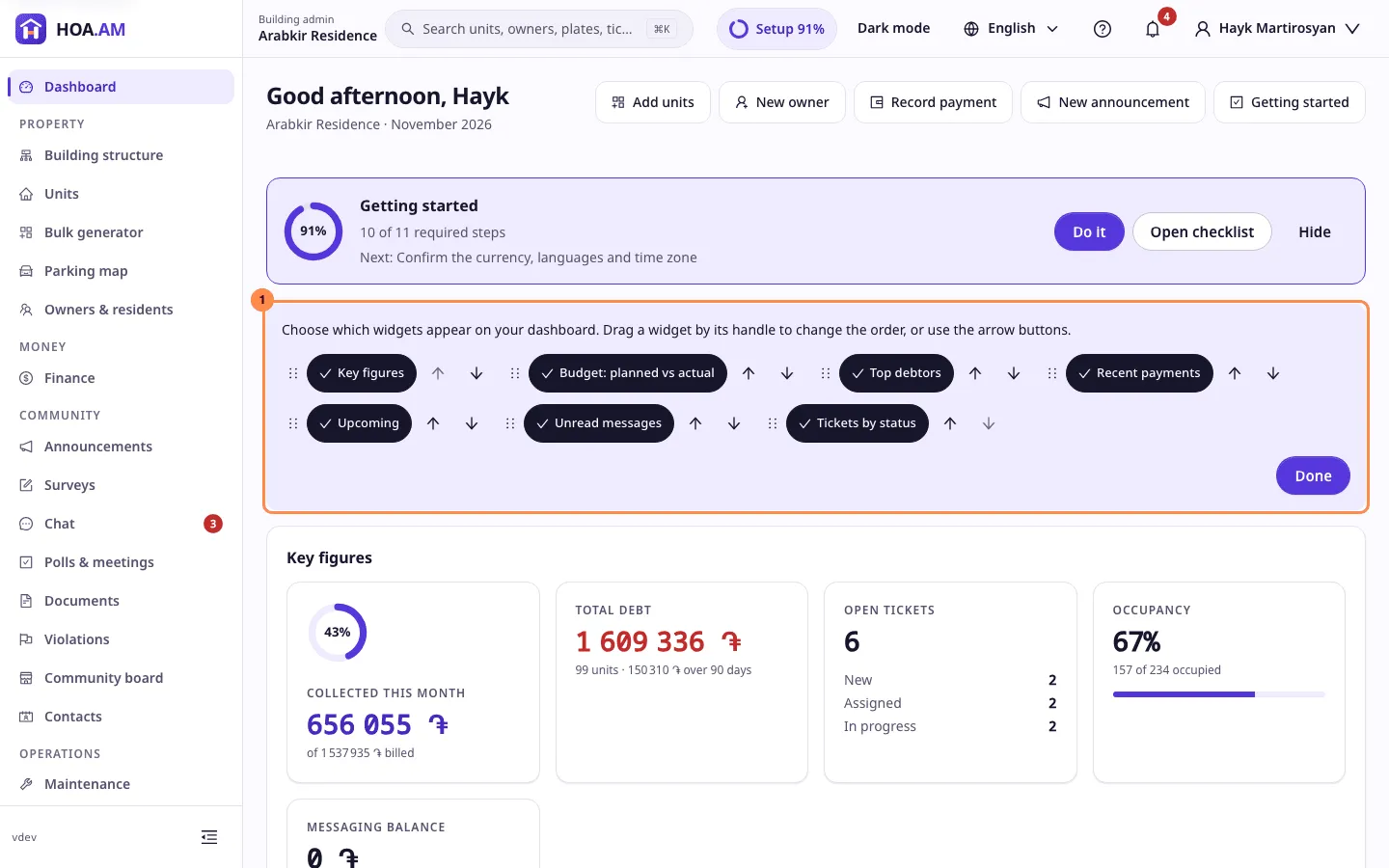
At the top you see a greeting, the complex and the month, and the quick actions you may use: Add units opens the bulk generator, New owner opens the New owner form on Owners, Record payment opens Payments, and Getting started opens the setup checklist. Until you hide it, the Getting started card below them shows how far setup has got and the next step.
What the dashboard shows
- Key figures: the money collected this month against what was billed, the total debt and how much of it is over 90 days old, the open tickets by status (New, Assigned, In progress), and the occupancy, 182 of 196 occupied.
- Budget: planned vs actual: this year’s budget, one bar per category. A category that spent more than planned shows in red. Once the cash-flow forecast has an opening cash, a line below it warns when the cash may fall below the cushion in the next three months, or shows the cash expected at the end of next month.
- Top debtors: the units that owe the most, with their owners, how many days the oldest charge has been unpaid, and the amount. The age shows in red from 90 days, in orange from 60 and in amber below that. Select a debtor to open the unit’s card with its balance. Remind on a row, or Remind all, sends the listed owners a payment reminder; a debtor reminded today shows ✓ Sent, and View all opens Finance › Debtors.
- Recent payments: the latest payments recorded, who paid, how and when.
- Upcoming: the next planned maintenance, vote deadlines and meetings, with their dates in the complex’s time, and the asset warranties that end soon, with their date. Select a maintenance, vote or meeting to open it.
- Unread messages: how many chat messages you have not read, and your latest conversations: see Chat.
- Tickets by status: how many tickets are in each status: see Maintenance.
View all on the budget, payments, messages and tickets blocks opens the full page. All amounts are in the complex’s currency.
Arrange your dashboard
Select Customize to choose the blocks you see and their order: select a block to hide or show it, and drag it by its handle, or use the arrow buttons, to move it up or down. Reset to default brings every block back in the default order, and Done closes the Customize bar. Your choice is saved at once and follows you to every device.
On a phone the blocks stack in one column.