Keys, fobs and access credentials
A register of the entrance fobs, keys, gate and garage remotes and barrier plates each unit holds, with their deposits and replacement fees.
The portal keeps a register of what the complex hands out: entrance fobs, cards, keys, gate and garage remotes and parking-barrier plates. The management sets up the types in Settings › Access credentials, and the front desk issues and takes them back on the Keys & fobs tab of Visitors & deliveries. Both need the Keep the keys and fobs register permission, and the front desk’s tab also needs Visitor log; Complex Admins and, by default, the Concierge hold both.
Set up the credential types
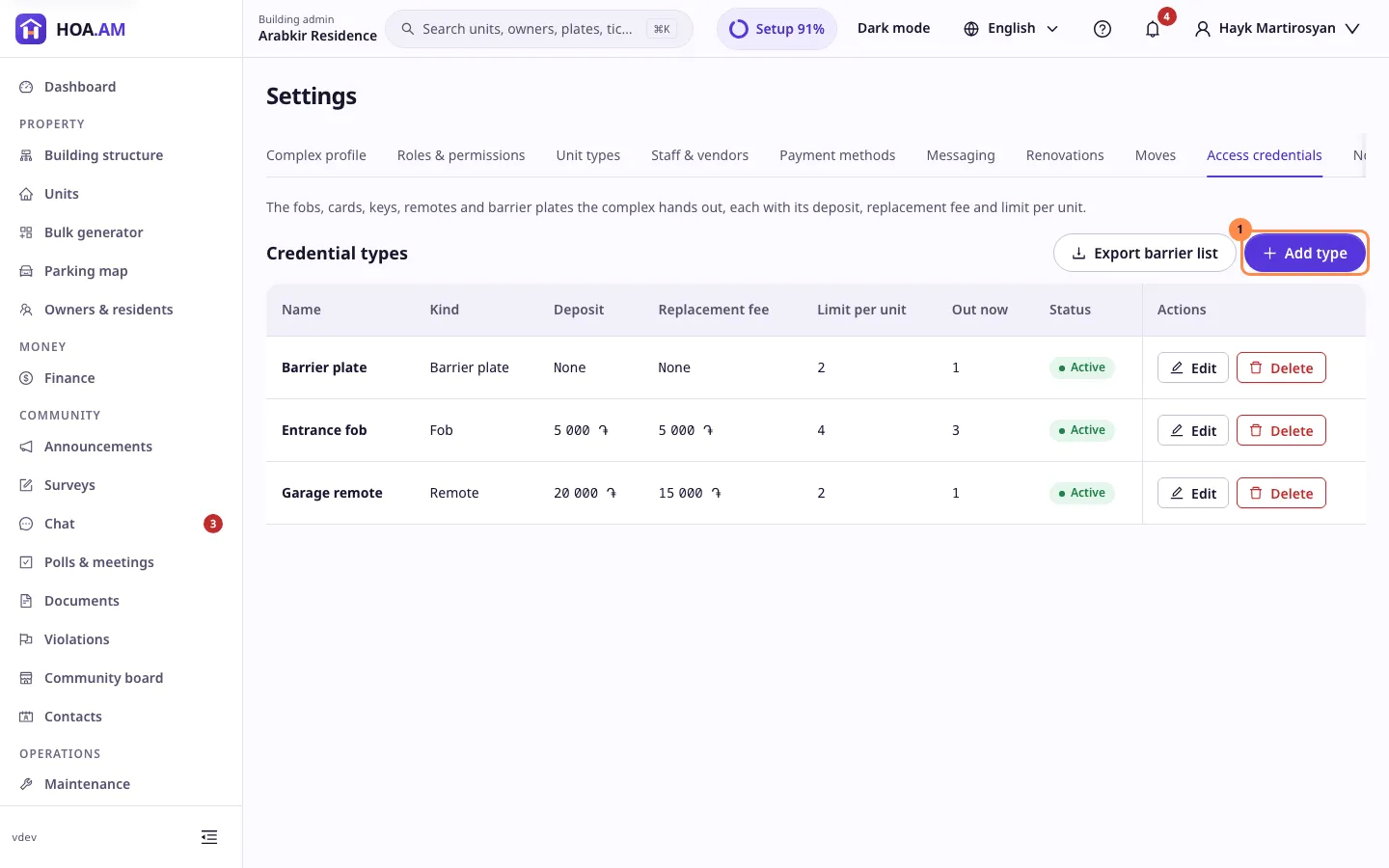
- Open Settings › Access credentials and click Add type.
- Enter the name in English, and in Armenian and Russian if you like.
- Choose the Kind. A Barrier plate is tied to a resident’s car and goes on the barrier list.
- Enter the Deposit charged to the unit when a credential is issued and the Replacement fee charged when one is lost, in the complex’s currency. Enter 0 for none.
- Set the Limit per unit: how many live credentials of the type a unit may hold, 0 for no limit.
- Click Add type.
Once any credential of a type has been issued, even one since returned, its kind can no longer change. Delete removes a type only if nothing was ever issued of it; any other type is switched off instead, so no more are issued.
Export barrier list prepares, as Excel or CSV, the plates of every issued barrier credential for the barrier operator.
Issue a credential
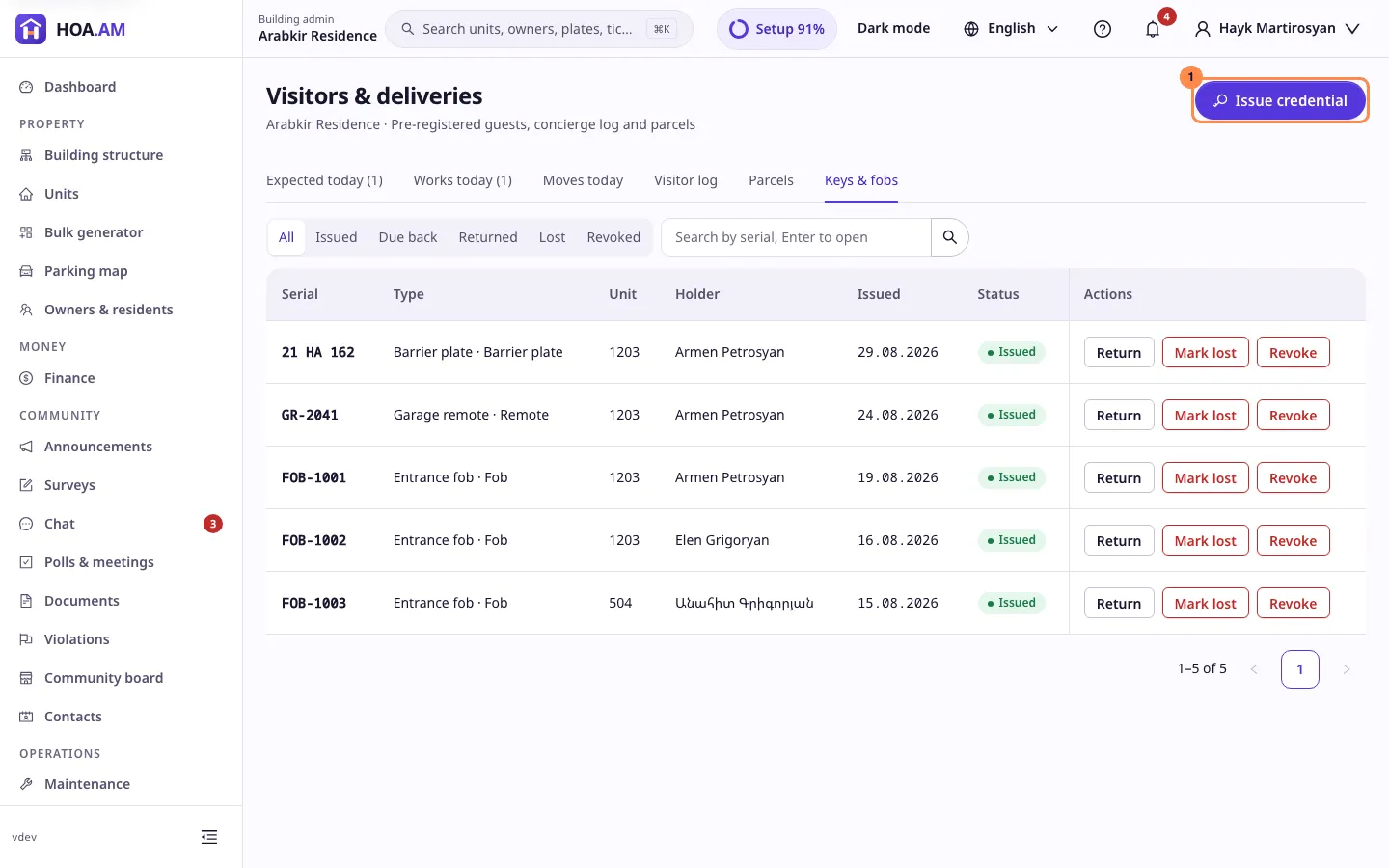
- Open Visitors & deliveries › Keys & fobs and click Issue credential.
- Choose the type, then the unit, then the Holder: a resident of the unit, invited or active.
- Enter the serial printed on the fob or card. A serial is held by one live credential at a time.
- For a barrier plate, choose the holder’s car.
- Charge the deposit is on when the type has one. Staff who own the unit, or hold the credential, cannot leave the deposit out.
- Click Issue.
Return, lose, revoke or keep
Each credential in the list offers the moves its status allows:
- Return: the credential is back. If its deposit is held, choose whether it is refunded.
- Mark lost: the deposit is kept, and if the type has a replacement fee, choose whether it is charged.
- Revoke: the credential stops working; give the reason. Choose whether a held deposit is refunded.
- Keep: for a credential due back whose holder still lives at the unit, it stays issued.
Type a serial in the search box and press Enter to open the live credential that has it, with its history.
Due back
When a holder no longer holds the unit, after a sale or the end of a tenancy, their credentials are flagged Due back and the desk is notified. The tab then shows the count and puts the Due back filter first. When you transfer a unit’s ownership, the transfer form lists the sellers’ credentials that will become due back.
On the unit card and for owners
The unit card’s Keys & fobs section lists the unit’s credentials. Owners and residents see their household’s credentials, read only, on My properties, each serial shown by its last four characters.
In the Getting started checklist
The recommended Add access credential types step of the Getting started checklist is done once the complex has a credential type.