Review plan applications
Decide the applications organizations send for the free Community plan: compare them with the organization today, set the storage and approve or reject.
Who: the Global Admin. Path: Platform context › Sidebar › Billing › Plan applications.
Organizations of any size whose buildings were all built before 1991 can apply for the free Community plan (see Billing plans). You are notified when one applies, and the Plan applications tab shows how many are waiting.
Steps
-
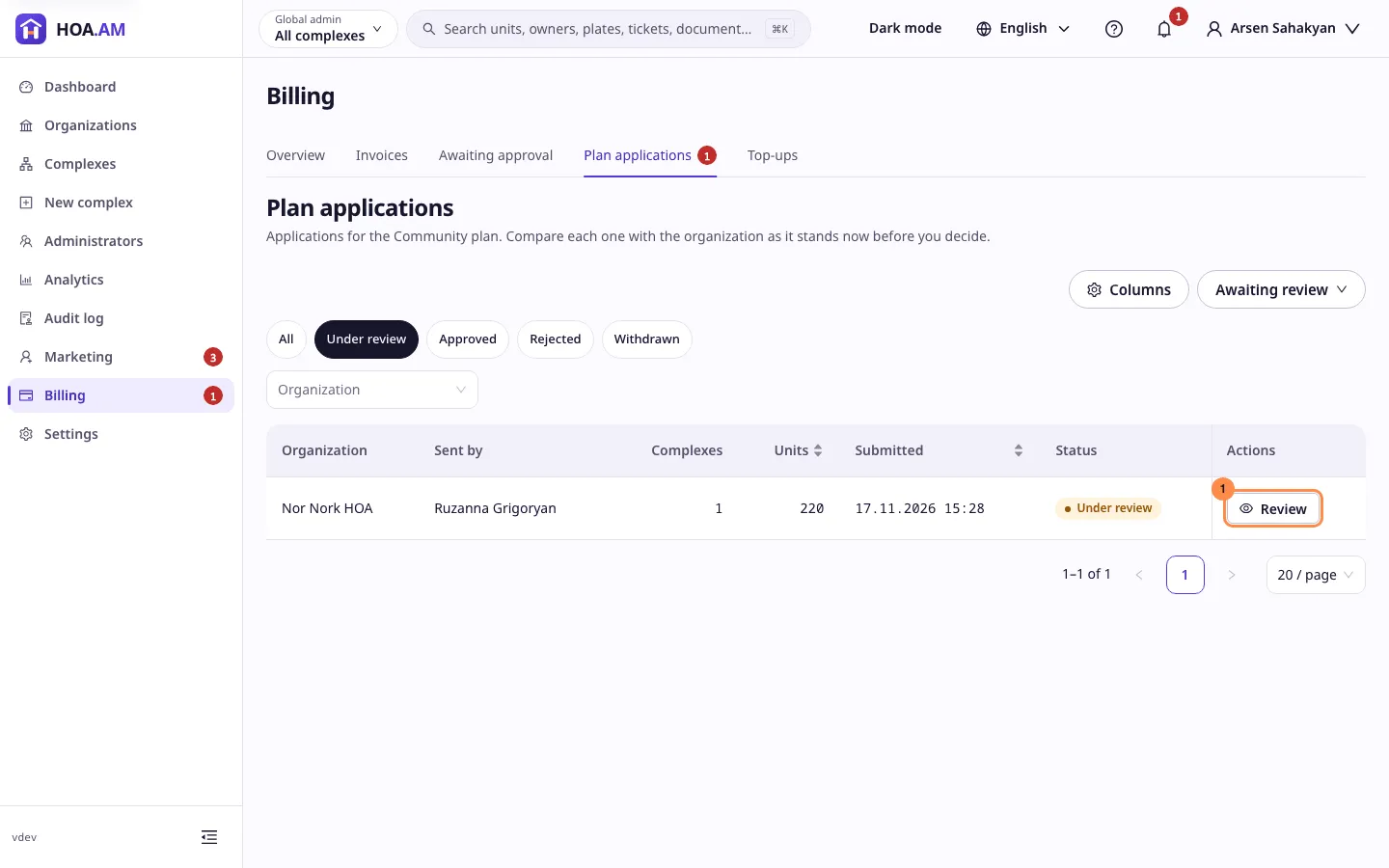
Open Billing and select the Plan applications tab. It opens on Awaiting review. Each row names the organization, who sent it, its complexes and units, and when it was sent. Filter by Status or Organization, or pick another view from the views menu above the list, which reads Awaiting review when the tab opens.
-
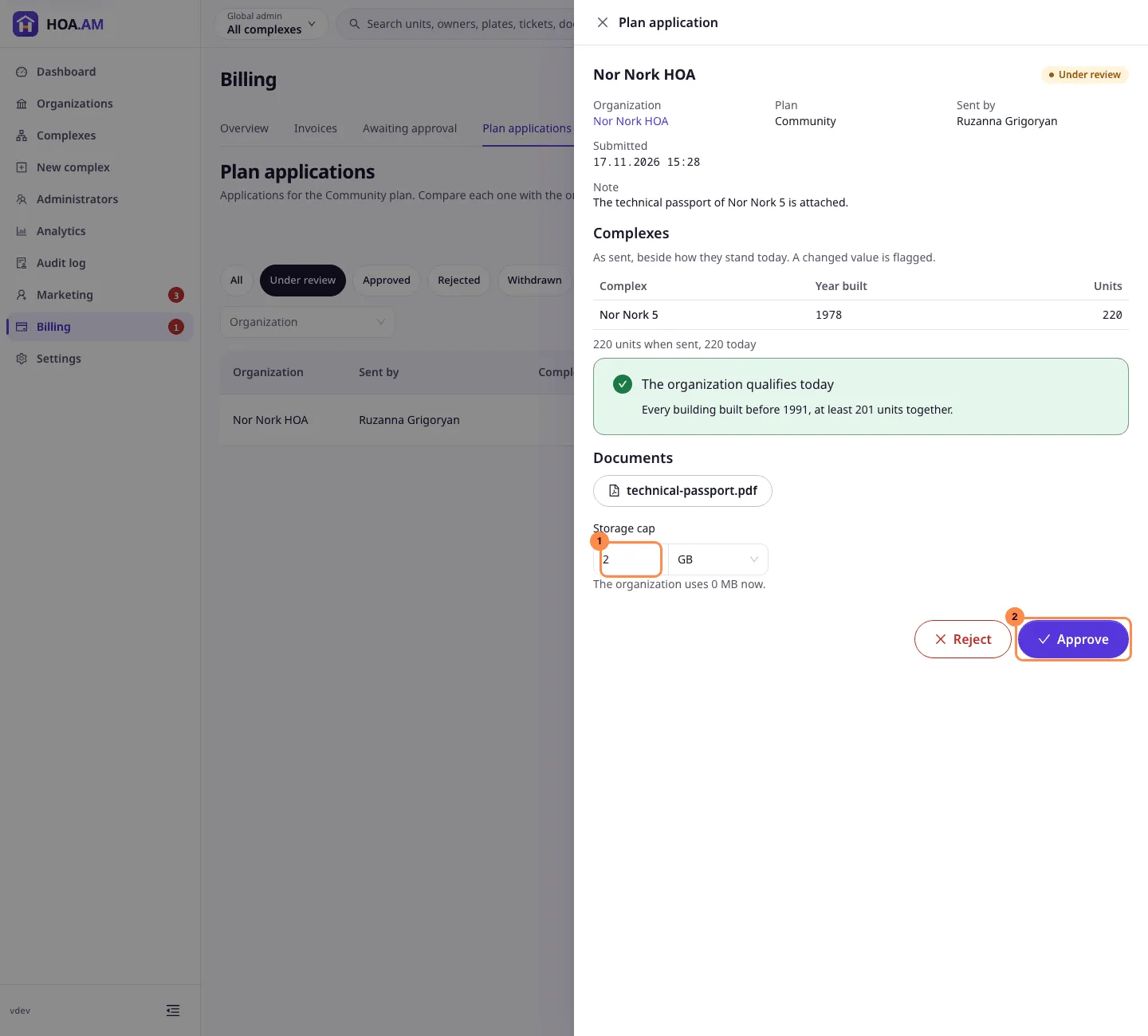
Select Review. Under Complexes you see each complex’s year built and units as sent beside today’s values. A complex added or archived since, one that does not qualify and any changed value are marked. Below the table, whether the organization qualifies today, then the Documents it attached.
-
Set the Storage cap, in MB or GB. It starts at 2 GB; the hint says how much the organization already stores.
-
Select Approve and confirm. The organization moves to the Community plan from today, with that storage, and its other plan assignments end. Or select Reject and give the reason, which the organization sees.
Who can decide
Not the admin who sent the application, and not anyone who is a member of the organization or one of its complexes: another Global Admin must. The admin who sent it sees a note saying so and no Approve or Reject. Any other member is refused with a message when they try to decide.
When an organization stops qualifying
The platform re-checks an approved organization when its complexes change, and every day. If it no longer qualifies, the application is marked Eligibility lapsed, and its admins and the Global Admins are told. Nothing changes on its own: the organization’s Plan tab shows the approval and the complexes at fault, with Change plan and the Limits section at hand. Pick Eligibility lapsed from the views menu to list them.