Prepare the annual report
Building the year’s report from its frozen figures, writing a comment for each section, sending it to the board for approval and publishing it to the owners.
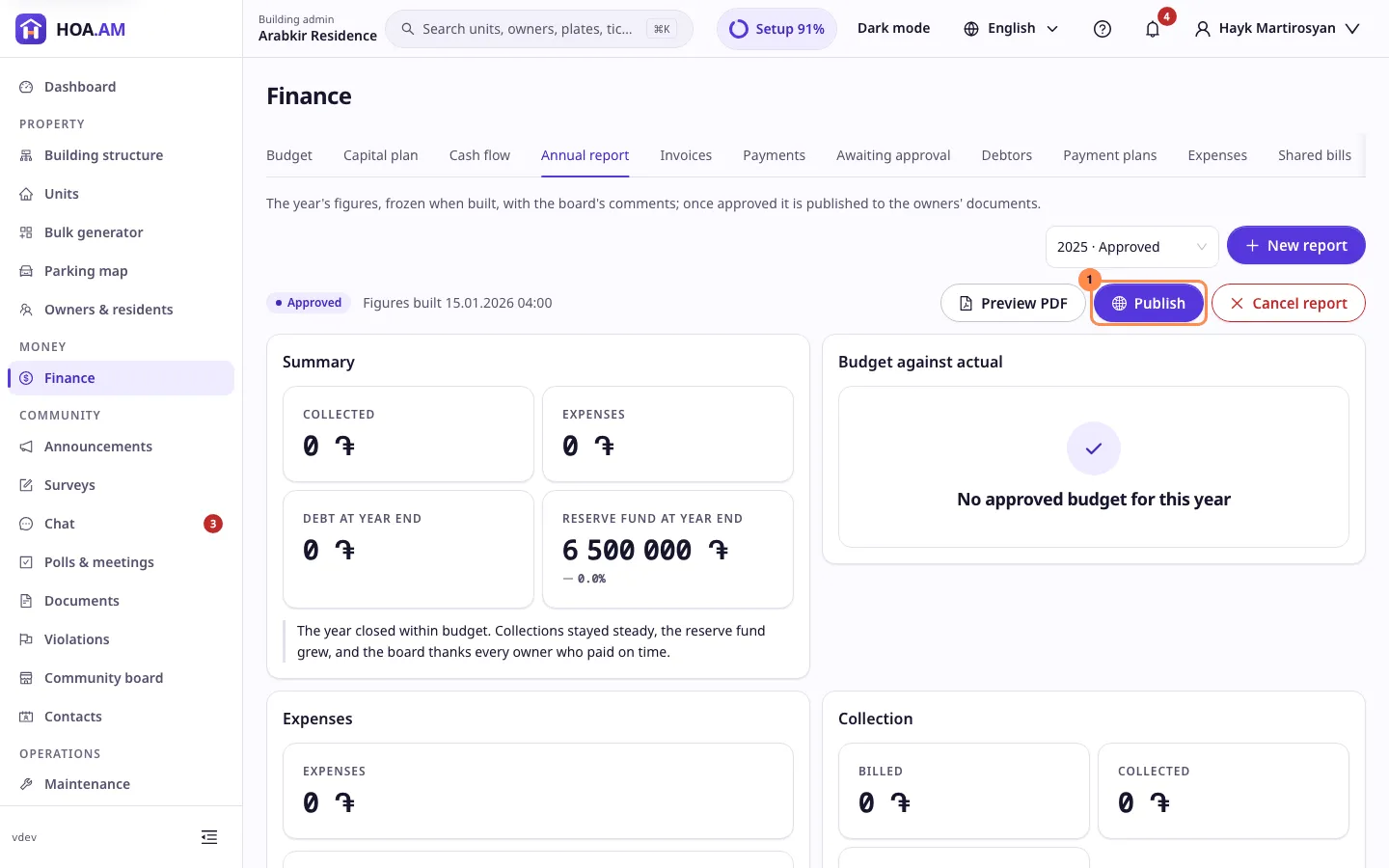
The Annual report tab puts a finished year in one place: the budget against what was spent, the expenses and the largest vendors, collection and debt, the reserve fund and the capital plan, the maintenance requests and the votes and meetings of the year. The accountant writes a comment for each section, the board approves it, and the approved report is published to the owners as a PDF.
Who can use it
Sidebar › Finance › Annual report. Anyone who reads the finances can open it. A Complex Admin, an Org or Global Admin inside the complex and an Accountant build the report, write the comments and send it to the board. A Board Member, a Complex Admin and an Org or Global Admin inside the complex send it back, approve and publish it. Whoever built, edited or sent a report never approves, sends back or publishes it: Send back is not shown to them, and Approve and Publish stay disabled, with a hint.
Build a report
New report offers each finished year that has no report yet. The figures of that year, and of the year before for comparison, are gathered and frozen: later payments or expenses do not change the report. While it is a Draft, Rebuild figures gathers them again from today’s data and keeps the comments; the dialog names when the figures were last built.
Write the comments
Each section is a card with its figures and a comment in English, Armenian and Russian. The English comment is required before the other two, and each comment is at most 4000 characters. Save comments stores them; leaving the page with unsaved comments asks first. A report can be sent to the board only once its comments are saved.
Review and approve
- Send to the board moves the draft to With the board; its comments can no longer be edited.
- Send back returns it to the draft with a note saying what to change; the note is shown on the draft until it is sent again.
- Approve moves it to Approved.
- Cancel report removes it from the list, so the year can be built again.
The accountant and the board are told by a notification when a report is sent to them or sent back.
Preview PDF opens the report in your language at any stage. Until it is approved, every page is marked Draft.
Publish
Publish files the approved PDF in Documents › Financial reports, in every language of the complex, visible to every member, and the owners are notified. Owners find it under Payments › Where the money goes too. A published report can be put on a meeting’s agenda: in Polls & meetings, each agenda item can name a document every member can read.