Debtors
Who owes and for how long, sorted into age buckets, and reminding owners to pay by email and SMS.
The Debtors tab shows which units owe money, how long they have owed it, and lets you remind their owners to pay.
Who can use it
Sidebar › Finance › Debtors. A Complex Admin, an Org or Global Admin inside the complex, and an Accountant can read the list and send reminders. A Board Member can read the list.
Debt aging
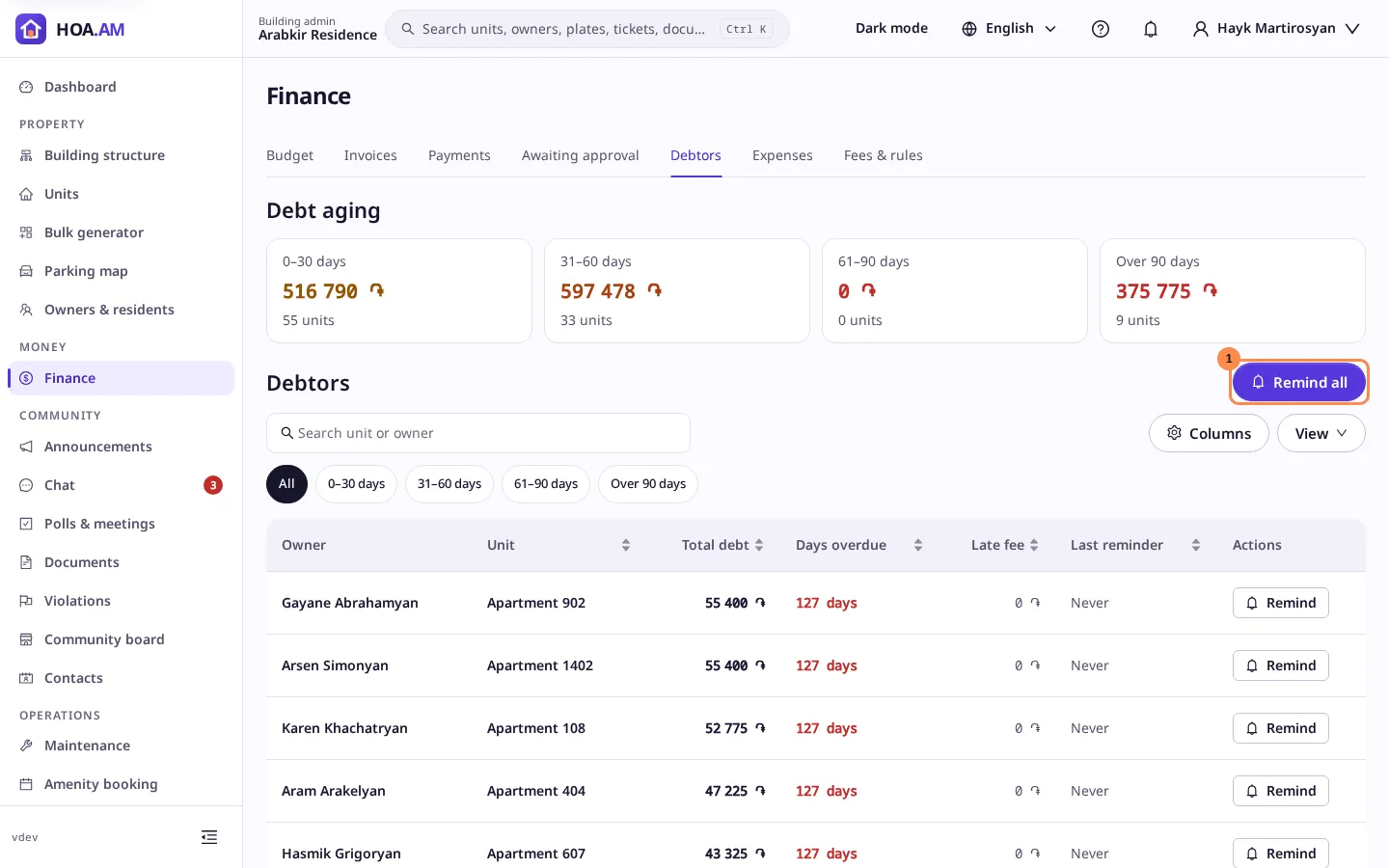
Four cards at the top split what the units owe by the age of the debt: 0–30 days, 31–60 days, 61–90 days and Over 90 days. The age counts from the due date of the unit’s oldest unpaid invoice, in the complex’s time zone; an invoice not yet due counts as 0 days. Each card shows the amount and how many units it covers. The colour gets stronger as the debt gets older: amber, then orange, then red.
The list
Each row shows the owners, the unit, the total debt, the days overdue, the late fees on its unpaid invoices and the last reminder: Today, its date, or Never. Select the unit to open its card with the full balance. Filter by age with the chips, search by unit or owner, and sort by any figure. On a phone the list turns into cards.
When nobody owes anything, the tab says No outstanding debt. Every unit is paid up.
Remind owners to pay
Remind on a row, or Remind all above the list, asks how to send it:
- Email to each owner and co-owner of the unit.
- SMS, paid from the complex’s messaging balance. Without a balance the option is turned off, with a link to top it up. If the balance runs out while sending, the SMS that could not be paid for are skipped and the emails still go out.
An owner who turned email or SMS off for payments in their notification preferences gets nothing by that channel. Every owner with an account is also notified in the app, unless they turned that off too. The reminder names the unit, the amount owed and the oldest due date, with a link to the owner’s Payments page. A message tells you how many owners were reminded and how many SMS were not sent.
A unit can be reminded once every 12 hours. After a reminder its row shows ✓ Sent until then, and Remind all leaves such units out. Every reminder is recorded in the audit log.
The same reminders are on the dashboard’s Top debtors widget: Remind on a row, and Remind all for the units it lists.