Offer a payment plan
Split a unit’s debt into monthly instalments, follow how the owner keeps to it, and cancel it when needed.
Who: a Complex Admin, an Org Admin or a staff member with the Manage finance permission; with View finance you can follow the plans but not offer or cancel them. Path: Finance › Debtors and Finance › Payment plans.
When an owner can’t pay their debt at once, you can offer to split it into monthly instalments. The owners accept or decline the offer in the portal. While they keep to an accepted plan, no late fee accrues on the unit and it is left out of Remind all and the automatic reminders.
Offer a plan
-
Open Finance › Debtors and find the unit.
-
On its row, select Offer a payment plan. The action is not shown for a unit that already has a plan, or for a unit you own yourself: another manager offers that one.
-
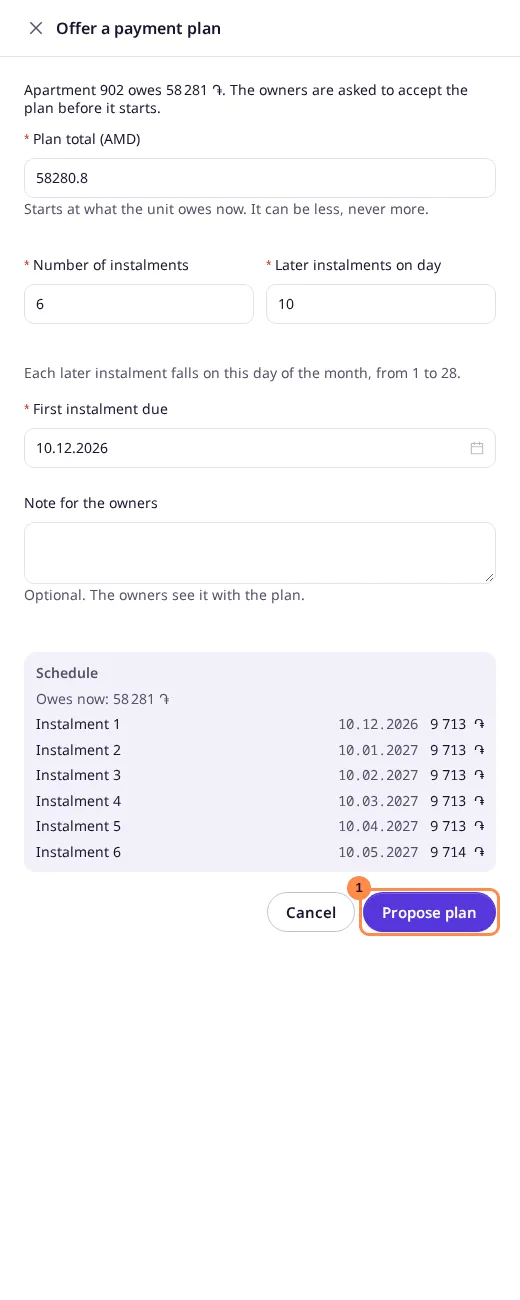
Fill in the plan:
- Plan total starts at what the unit owes now. You can offer a plan for part of the debt.
- Number of instalments, from 2 to 24.
- First instalment due, today or later.
- Later instalments on day, the day of the month, 1 to 28, each later instalment falls on.
- Note for the owners, optional.
The Schedule on the right shows each instalment’s date and amount as you type. The amounts are equal, and any remainder goes on the last one.
-
Select Propose plan.
Result
The owners get a notification and see the offer on their Payments page. The Payment plan column on Debtors shows Proposed; once the owner accepts, it shows Active with the next instalment’s date, and the manager who offered it is notified. On a plan only narrows the list to the units keeping an active plan.
Follow and cancel plans
Finance › Payment plans lists every plan of the complex with its status, what is left to pay, the next instalment and how many instalments are paid. Search by unit or owner, or filter by status.
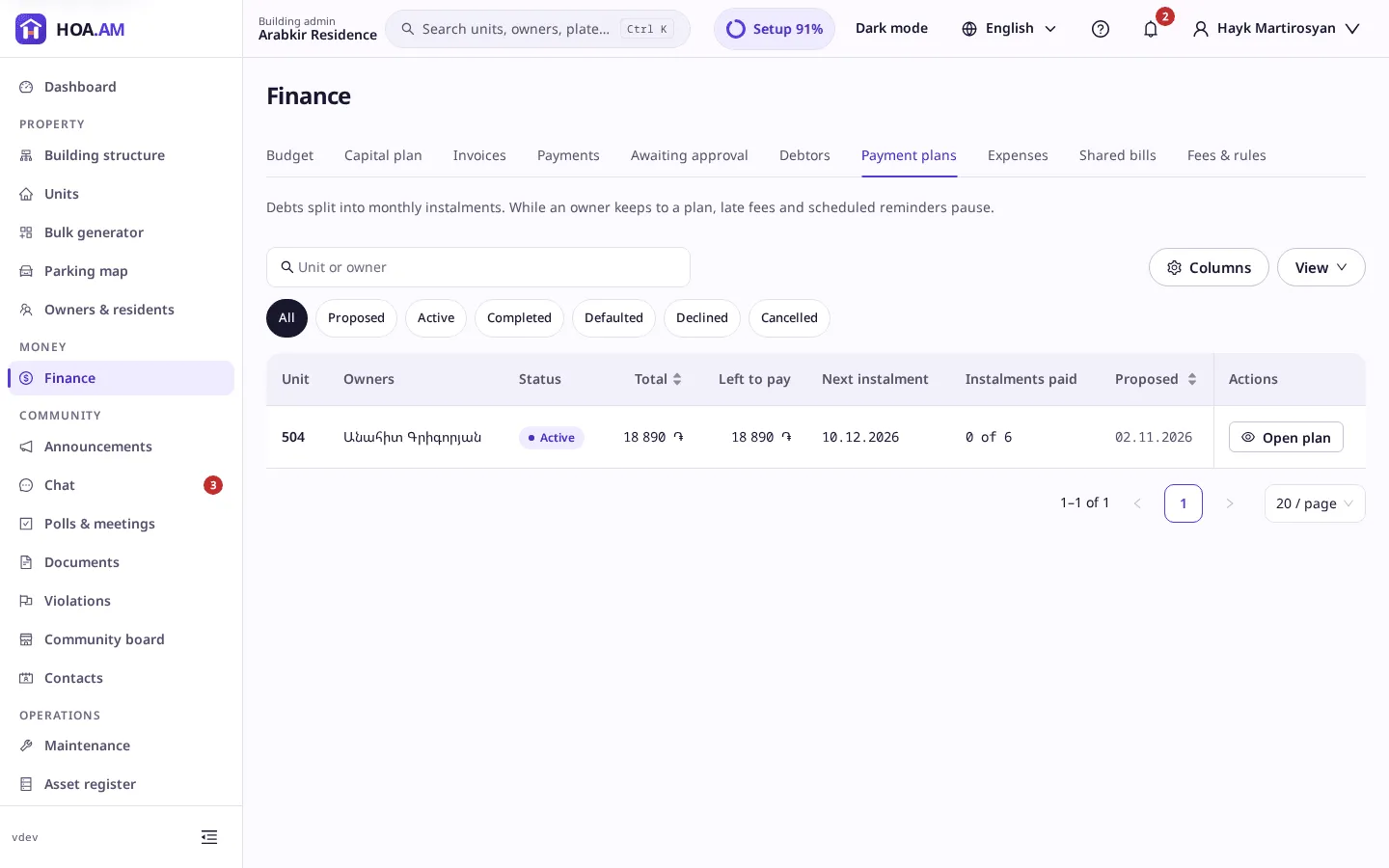
Select a plan to open it. You see each instalment with its state (Paid, Partly paid, Overdue or Upcoming) and, under Payments counted, the payments that covered them. Payments are recorded as usual, on Payments or by the owner online: each payment recorded on the unit covers the instalments in order.
To end a proposed or active plan, select Cancel plan, give a reason and confirm. Late fees and reminders apply to the unit again from then on.
A plan ends by itself as Completed once every instalment is covered, or as Defaulted when an instalment is still unpaid five days after its due date; a defaulted plan is notified to the owners and to the managers with Manage finance. The unit card’s Payment plan section also shows the unit’s latest plan.